


Description


|
|
|
|
|
|---|---|---|---|
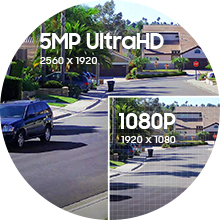
5MP UltraHD ResolutionExperience magnificent 5MP UltraHD footage with the latest Starlight 1/2.7″ CMOS image sensor and a 103° viewing angle. The Amcrest UltraHD camera soaks in the entire scene, dynamically painting all the vivid colors and rich imagery, pixel by pixel, onto your desktop or mobile device in 5MP UltraHD 2592×1944 resolution. |
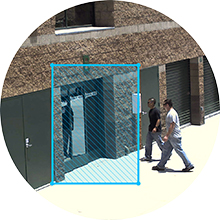
Motion Detection AlertsReceive intelligent alerts that send notifications directly to your computer or smartphone via the Amcrest View Pro app anytime motion is detected. Create up to 4 motion detection zones and customize each zone’s sensitivity to receive only the alerts that you need. Be notified anytime your smart home camera goes offline. |
Mobile Viewing & StorageView, record and playback UltraHD footage directly from your smartphone with the Amcrest View Pro or Amcrest Cloud app. Locally record HD footage directly to a 256GB MicroSD card (sold separately). Never worry about losing your footage with Amcrest Cloud optional Cloud storage plans. |
IP67 WeatherproofThe 5MP UltraHD PoE Indoor/Outdoor Camera is built to endure even the harshest weather conditions and protect against impacts. The camera is equipped with a heavy-duty IP67 weatherproof designed to protect against dust, rain, hurricane level winds. |


Amazon Customer –
Product ok, but beware of seller. They cance lorder and said it is customer request for refunf.
IboughtThis –
Awesome Camera! Great value! Tons of options for installation, viewing & recording!
The media could not be loaded.
Great camera! Easy Install and setup! Great picture quality! I bought the Amcrest 5MP UltraHD (IP5M-T1179EW-28MM) and I am extremely impressed with the performance of this Amcrest camera considering that it cost less than $50. There was a recent theft in my neighborhood and some kids ringing doorbells and running off at night (frightening my wife when I’m at work). My existing cameras captured a very poor and brief image of the criminal’s vehicle so I decided it was time to up my game. I really liked how I can use this one camera without committing to a large multiple camera NVR system and installation. There are so many different ways to view the live feed and recordings even when I am out of the house and get an alert/snapshot.Unboxing: My initial impression is that the camera is extremely well built, and it seems quite durable. The plastic housing is hard. The lens angle adjusts easily along multiple axis, and stays exactly where I point it. There are instructions in the box, a mounting template with hardware and plenty of guidance on the Amcrest site. The connections and the cover for the reset and MicroSD card slot are well protected and sealed up tight. I have no concerns about water getting inside.Mounting/Wiring: Even though it can be mounted fine without it, I opted to mount it on an Amcrest AMCPFB203W wall mount bracket. I have brick and new vinyl siding so running a ton of wires with large connectors was not something I wanted to do. I put the connectors inside the wall mount, and connected the mount to a wooden corner bracket I made and stained to blend in with the brick. I then attached it all with one screw/molly. I mounted it near a gutter so I could hide the cable behind and along the downspout. I ran the cable along the foundation under some decorative rocks, into the house near the dryer vent and connected it to my network. I really appreciate the flexibility that the ONVIF/RTSP compatible cameras allows for installation and operation.PoE is AWESOME!: The camera can be connected/powered using Power over Ethernet (PoE) with a PoE injector or switch, or regular Ethernet with a separate power cord. With PoE, I was able drill one tiny hole for the Cat6 cable and then crimp the RJ45 Ethernet connector on myself and have power and data all in one network cable. You shouldn’t have to turn your home into Swiss cheese in order to feel safe and secure. PoE allows you to install cameras without destroying your home! I highly suggest getting a crimping tool for anyone running Ethernet cables. The RJ45 connector requires at least a 5/8 inch (16mm) hole. If you can put your own connector on after you run the wire through something, you can drill less than a ¼ inch (6mm) hole. You can get a spool of cable and make your cables any length you want. Since it is always powered with PoE, it can capture recorded video before the motion starts and I don’t have to get on the ladder to change batteries like I do with my other cameras.Setup: The camera can be auto detected by most software. There is also a QR code or serial number (be aware that the QR and S/N are on the tag attached to the cord and not the camera body itself). The Amcrest View Pro software was simple to configure on my android phone. I also tried a demo version of Blue Iris I installed on a Windows 10 PC. It also works with my Synology NAS home cloud server using Surveillance Station software providing tons of capacity for file storage. I was able to set the camera to alert on motion easily. At first, I was getting some motion activated recordings due to wind in the trees and squirrels, but it was simple to set the motion detection to ignore some areas of the frame and minimize false alarms. There are tons of features included in the software that I’m still trying out.Picture quality: This camera has incredible picture quality for such a low price point. I can zoom in on people walking and driving by without losing much quality at all. My Arlo Pro 2 cameras are only 2MP so this 5MP camera really blows them away with the increased the range, clarity and definition. I usually have some ambient light from the streetlights and the neighbors, but the night vision illuminator lights up dark areas in front of my home for about 100 feet. My spouse was really impressed with how clear the picture is.Audio: The microphone is incredible. I have audio triggered recordings turned off because there is highway noise behind me. Even with the highway noise behind me, the mic can often pick up the voices of people talking as they walk down the street.Flexibility: I really love how versatile this inexpensive camera is. I can put up to a 256GB MicroSD card in it to store the recordings or connect it to my Windows 10 PC, or even to my Synology NAS personal cloud server. I can access the camera through the web, through the Amcrest app on my phone, through Blue Iris or my Synology Surveillance Station software. I’m also not locked into any proprietary camera system because it is compatible with multiple platforms or no platform at all. All you need is the camera, a way to connect it to your network, and then you can use the app.Overall: I am thrilled with this purchase (I am a computer/electronics/gadget/smart home enthusiast). This camera is absolutely phenomenal especially considering this price point. I’m already considering where I can place and connect additional cameras. The next time there is a thief in the neighborhood, I’ll be able to pull up a clear image of the people/vehicle when it drives by or be alerted if someone comes near my home. I highly recommend this camera.
GambleMan777 –
Impressive IP Compatibility
NOTE: This review is based off of personal experience and is a matter of opinion on the device used. Your own personal experience could be completely different.Have you ever just wanted to feel secure about your comfort zone? Do you hate having random techs come to your house to install equipment and not know if you truly are safe? Amcrest has your back. Creating a considerable variation in camera technology and software, there’s no room for error. You can feel great about yourself when you know what you are getting and have that feeling of being secure because it belongs to you. With Amcrest, you can feel good about adding a whole new level of safety, to personal security. I recently purchased an IP camera that Amcrest has to offer. Model number IP5M-T1179EW-28MM. This model has a hard plastic mold as the base for the unit. The casing seems easily destroy-able by vandals, and the camera it’s self was not smooth for placement, seems a tad rough to turn the angle of the camera for correct positioning. The mold needs some work on fluent movement as to not feel like I am breaking the casing during adjustments. There is no dome or cover protecting this camera lens so using this camera outside in -20F weather scares me over time. I personally would not use this camera for external use in strong winter conditions. The IP rating is IP67 which protects it from harmful dust and can be immersed in water up to a meter or 3.3 feet for only 30 minutes.o Installation was incredibly simple. A print out was supplied with markings for hole placement, the cut out was a little off centered to the camera mold, but it still placed correctly.o If no hole is wanted you can easily wrap the wire under the camera’s casing with drill free hassle.o Simple to follow instructions included with the camerao If your Ethernet is not power supported (PoE), you must purchase your own power supply for this camera. This was one of the only negative impacts I have experienced after purchasing this camera.o Image quality is just as advertised and can easily be adjusted to ones needs.o Night vision works extremely well and dark spots are clear as day.o Connection to IP camera software is simple and there is little to no delay.o Sound quality is actually impressive for a security camera.** Live streamers can easily set this camera up for use in streaming software, and actually take a toll off of their PC’s hardware. **Application installation was a quick and easy process, step by step included. Note that your QR code is hiding in plain sight wrapped on the power cord it’s self. I was having issues connecting the phone application to the camera at first using this Amcrest app provided in the setup instructions. There are other Amcrest applications that can be used and with my experience I do not recommend using the one stated in the instructions. Even though I was on the same network it constantly confirmed that I was not on the same network as the camera.I was able to get completely setup easily on the web browsing application. This web app is incredibly simple to use and flows very well. The tools available are pre-setup, and basic to any webcam, but give you personal functionality.o Playback feature is fantastic, but note if you connect your cam to your own personal cloud you can only view footage in the web application recorded to the SIM card. Unless there is something I am missing.o Rotation of camera is a nifty feature if you accidentally installed your camera upside-down.o It was really simple to dig and find out how to remove the embedded water stamp by Amcrest. Having the ability to add your own logo would be a neat feature for them to add.o Labeling the camera was simple.o Main stream / Sub stream both easily adjustable for quality and even encodingo Overlay customization is simple and straight forward.o Areas with constant movement such as trees or office chairs? No problem. You have the ability to focus on certain points and tell the camera not to record with movement in that section.o Recorded footage is easily downloadable from your FTP, but I do find the labeling and organization a tad sloppy, personal ability to tamper with how data organizes would be a nice feature.o Amcrest really wants you to use their cloud storage system because there are plenty of links directing you to their service. I personally have not used the service and cannot make any recommendations on the service its self. Purchasing the camera does include one month free of the Amcrest cloud service.o If you are tech and looking to add a custom UPnP you are out of luck, you can only modify the ones given in the web application.o Connecting your own cloud is a simple process as long as you know how to properly use your own router and its settings.o Overall the web application is easy to use and play around with settings.Quality is important in any product and many companies are slacking these days. Amcrest has found a way to produce quite impressive quality products and sell them at an affordable price to the consumer. This keeps customers coming back for more equipment to purchase; knowing that there is value in it’s worth. After my personal experience with this user friendly camera, I can honestly recommend using it for your own personal security setup.
I. Smith –
My first turret camera
I have seven Amcrest cameras now, but this is the first turret camera that I’ve purchased from the brand.Having been through a number of different brands, I have found that I prefer Amcrest for various reasons. I want to support American companies, and I find that the quality of Amcrest is better than others while the price is directly comparable.Amcrest cameras tend to have excellent build quality. They are solid, weatherproof (for the outdoor cameras), and they work well. The turret mount makes a lot of sense, and is easy to use to mount and dismount. The network cords are very well protected with an o-ring and connector system. The web management interface is fully featured and intuitive. I love the fact that many of their cameras also have the microSD slot for onboard recording and storage. This works well for use-cases without internet or other local storage and as a backup storage method.For my configuration, I also tested the Amcrest PoE injector, which takes a regular network input and outputs network + power in order to power a Power-over-Ethernet (PoE) device such as this camera. This is useful for mounting cameras far away from available power receptacles. PoE will normally have a max range of 100 meters/300 feet in ideal conditions.This camera (IP5M-T1179E) has firmware much like the others I own. A password change is forced on first login. I had the device powered through the Amcrest PoE injector and directly into my router and it was automatically assigned a DHCP address. I changed it to a static IP in my camera subnet, and then re-logged in once it was complete. Then I tried to update the firmware. On the setup > system > upgrade page, there is a check version button which is for the cloud upgrade. That button has always done nothing, and it performed no differently this time. I tried in in several browsers. The camera has no firmware listed on the Amcrest support site at this time, so I assume that it is up to date. The firmware is about 8 months old at this time. I did find the firmware a few days later and discovered that the firmware site has a slightly finnicky search tool.Then I added my non-admin user account so I can connect my recording program and mobile device using credentials that don’t have the ability to change settings.Then I begin at the top of the settings and work my way down to change things such as the video overlays, email alerts, ensure that extraneous features are off, turn on HTTPS console access, enable the sending of snapshots via email during motion detection, and set the device to auto-reboot weekly.After setup, I run a packet capture on the device to see who it is trying to connect to. This device was trying to connect to amcrestview.com which is hosted on Amazon. I found no other external connection attempts.All of the IP cameras I have owned called home in some way. This is true of cameras that have no cloud features. The Chinese cameras tend to reach out to China, which I don’t like. There are many, many of examples of IoT devices being hacked and sending all your data somewhere and spying on the unsuspecting. I protect against this by ensuring that my IoT devices cannot connect outbound to the internet and by using Geo-IP to blacklist addresses hosted in most foreign countries. Amcrest devices periodically connect to the Amazon cloud. I’m not a fan of that either, but it’s what you have to do if you want the cloud features such as mobile app for remote management and viewing. There are ways to get remote management and viewing without using their cloud, but it requires network configuration that most people can’t accomplish.I love the ability to store recordings on SD, NAS, and FTP. Between those and the email snapshots, there are plenty of methods to alert and store events. Amcrest devices will also connect with various software packages and recording platforms using standard protocols such as ONVIF and RSTP. I use RSTP (real time streaming protocol) with iSpyConnect on a spare PC to monitor and record events. This gives me the ability to monitor, view, zoom, and capture the video and audio streams.I like this camera. It fits right into my environment and is a really nice quality.Here is my improvement wish-list:-I wish it were 4k, but for the price, it is just what I needed.-I wish the email password field could be pasted into as I use long, complex passwords in password managers.-The Firmware upgrade “Check version” button is unclear. I would expect the software to check and report then upgrade the firmware, but this does not work for me and never has.-Email/SMTP configuration: changing the authentication method to TLS defaults to port 465 (which is accurate) but I have to use port 465 and SSL in order for my email to function. I discovered this after trying everything else, but this may be a point of confusion for others and it may be said that the email functionality “doesn’t work” with TLS. It does work, but it may not be standard.
Kaylee –
Grate for the price
To start off this is a grate camera for the money. I have 4 of them on my house and got 6 more put up at my office. the audio is good but sharp loader noises will overwhelm the Camera. the night vision is pretty good, it lets me see everything i need to but picture quality is not as good as the daytime. you can still make out everything just fine it is just a little blurry with faster moving objects. you wont read any license plates at distance but close up at low speeds you can just fine. setup on the phone and computer app is easy. i have everything running on Blue Iris. I will be buying more Amcrest products and have recommended them to other. I’m not one to take time to write a review just because, my time is valuable and something has to demand that time.
MadPB –
Good quality and coverage, good customer support
I bought 2 of these in Oct ’22 and had them in a couple spots in my backyard. The size and megapixels were just right for my needs, and I got them at a good price.They’ve been running fine these past 5+ months, but recently I saw there was a firmware update available so I gave them a try. One of them flashed fine and booted right up running the new firmware. The other one however was unhappy. It rebooted after installing the new version but then never came back online.I brought it back to my desk, tried some different PoE ports and nothing worked. I have a Brocade managed PoE switch so I was able to see that it negotiated PoE just fine and it seemed to pull the same wattage as the other one that was working, but it never started any IP traffic. The port was showing no connection even though PoE was still providing power.I also tried a standalone PoE injector just to make sure, but same thing where it wouldn’t boot up and respond to pings. I even checked my DHCP server to see if maybe it had done a factory reset and picked up a new dynamic IP but it was just gone.After some back and forth with Amcrest support, they finally gave me an RMA and a prepaid Fedex label to ship it back. They wouldn’t cross ship a replacement, but as soon as they got the bad one, they were pretty quick to ship out the replacement (next day I think).The replacement works great and I’m happy that Amcrest honored the warranty. I’m going to be much more careful about firmware updates. I have a total of 22 cameras right now, mostly Amcrest but a few other Dahua and Reolink sprinkled in. None of them have ever bricked like this before so I think it must have been some glitch that corrupted the image along the way, or that camera just decided to give up the ghost. Either way, I’m still happy with my Amcrest products overall. Good price/performance ratio.
Adam –
Setup was frustrating but the video quality and price made up for the trouble
I recently purchased the Amcrest IP5M-T1179EW-28MM camera when looking for a more affordable POE camera to supplement my Ring Stickup Camera (POE models). Overall, it’s not a bad camera for the price. It has its highs and lows as detailed below, but depending on your requirements, I would recommend the camera if it fulfills your needs (mine were an affordable POE camera that doesn’t require PTZ).The setup process was frustrating to say the least. I unboxed the camera and attempted to follow the included manual for setup using the Amcrest Cloud app. I must embarrassingly admit it took me a while to find the QR code for the camera. I went through the box, manual, and included paperwork several times. I even took the camera out of the base and inspected inside the mount, outside, and the camera. I even had my wife look for it. Just before I gave up, I finally realized the QR code was on the cable itself coming out of the camera. I had it sitting on my fireplace mantle for testing and it wasn’t in view. To say I felt a little dumb is an overstatement. In the next few steps, it required me to change the default password (I’m glad it’s a forced change to be honest), but the app would not let me change the password. I tried at least 10 times making sure to always adhere to the defined password policy, but it never worked. I finally called support and after a bit of a hold, was told that I needed to set it up with the Amcrest View Pro app. It’s very frustrating to follow the manual page by page and find out it doesn’t work. The manual did have steps for using the Amcrest View Pro app after the section on the Cloud app, it should have been first if the Cloud app can’t make the camera work. Support made it sound like the Cloud app cannot even be setup if you don’t’ have a subscription. I planned to use the free trial so I could compare against my Ring Protect Plus subscription, but I never ended up going back to that app.Once the camera was setup in the Amcrest View Pro app, things worked much smoother. The video quality is as good as, if not slightly better than my Ring Stickup Cam (POE), which I considered to be the best quality video from a Ring device (and I own almost all of them). Audio quality was fair, but not the best I’ve heard in extremely quiet times. When there was medium or higher sound in the room, it performed much better. For checking in on live video, I am pleased with the video quality and it will suffice for my needs. I was looking for a cheaper POE camera to ultimately use in my barn to keep an eye on sick or pregnant animals. I don’t need cloud recording or motion alerts (as they would fire all the time) but being able to check on an animal without going out to the barn would be great. Some animals interrupt the birthing process when a human comes in view, so being able to monitor from afar can be better for their health. One feature I like from the View Pro app is the capability to see more than one camera at a time. I can’t do this with my existing Ring cameras and wish I could. This will come in handy when I want to monitor multiple stalls in the barn at the same time.As far as the hardware itself I think the build quality is good. For my testing, I used the camera sitting on the fireplace mantle, which is upside down for how it would normally mount. While the camera does manually rotate to compensate, I wasn’t able to tile it as far down as I would have liked. If it was mounted on the ceiling as designed, there would have been no problem as no one is trying to look up into the ceiling. Once I move it out into the barn as planned, this won’t be a problem, but I did want to mention it as I use several Ring cameras sitting on a shelf and they have a better mounting design for this position.All in all, I think the camera is a good value for the money. I think I’ll stick with Ring cameras in and around my house, so I have a single app for video, lights, and alarm, but I plan to install a few of these in the barn to monitor a couple of stalls. I prefer POE cameras so I don’t have to worry about Wi-Fi signal, and considering I need to run power anyways, it makes sense to do it from the same cable. (Battery is an option, but I don’t like changing the batteries at regular intervals with cameras mounted up high.)
Jeris –
High resolution, quality camera for monitoring of outdoor spaces
I purchased the IP5M-T1179EW-28MM because I was looking for a high resolution, quality camera that I could mount underneath a deck to monitor my back porch 24 x 7.Build/Physical Quality:The camera has a solid build. Made up of some metal and some hard plastic parts, it looks durable and does not feel cheaply made. The network cable connection point is well sealed, as well as the SD card slot. I don’t have concerns leaving the device outdoors permanently.Installation:The IP5M-T1179EW-28MM was a breeze to mount due to the included plastic mounting ring. Once the ring is secured to the desired location the camera just snaps in and is held by a plastic tab. Just as easy to remove, you simply depress the tab and slide the camera off. I can see how the ease of removal could be considered a design flaw since it can be easily removed without tools by anyone that can reach it. This was not a big issue for me because of the area I live in and because I’m recording all the time. I’d at least get a great picture of the person removing the camera.Once mounted the camera itself rotates inside of the housing for ideal positioning. It is setup to either be mounted under a soffit or on a wall. Amcrest also recommends a gang box for mounting outdoors but I just mounted to the ledger board directly. I sealed the hole behind the camera to prevent airflow and pests.Setup:I have the camera connected directly to a POE switch so upon plugging it in the camera powered right up. By default the IP5M-T1179EW-28MM is configured the use DHCP like most cameras so it easily acquired an IP address. I simply had to figure out which IP it was assigned and I was able to login to the built-in Web UI and reset the admin password. I’m using Blue Iris for NVR so all I had to do from there is put the IP address into Blue Iris along with the admin username and password and it auto-configured from there.Video/Picture Quality:With a 5MP (2592×1944) resolution the camera produces clear, crisp picture and video that allows you to make out fine detail at a decent distance. If this camera was placed in a location with a more substantial viewing area I’d probably have opted for a higher resolution. The night vision is effective and illuminates objects within the range required for my setup (98ft. according to the listing). The wide viewing angle also allows me to capture objects approaching the porch from any direction, although I did decide to install a piece of blocking at 45 degrees ensure this without having to turn the camera too far within the housing.Audio:The built-in microphone in the IP5M-T1179EW-28MM is sensitive enough to make my back yard sound like a jungle. It picks up a significant amount of bird noises. I can hear voices clearly at conversation level volumes and decently hear people talking on the deck above, as well as faintly passing cars around the front of the house. I was surprised at how well it worked.Web UI:I didn’t spend too much time in the Web UI because the defaults worked out of the box. Also, because I’m using Blue Iris for NVR I didn’t test playback or motion detection. In general though the Web UI is quick, responsive, and well laid out. There are a significant number of settings divided up into sections. Camera, Network, Events, Storage, System, and Information.Here’s a few notable features:- The camera supports a few dynamic dns providers namely, Amcrest, No-IP, and DynDNS. It would have been nice to see others supported.- You can set an IP filter that allows you to trust IP’s, IP ranges, or MAC addresses. I’d like to see a blacklist here as well.- When setting up SMTP the UI prefills settings for Gmail, Outlook.com, Comcast, and Yahoo which is a nice time saver utilized one of those vendors.- When setting up HTTPS you have to generate a self-signed certificate yourself (or install an otherwise acquired cert). While functional I can see that many may have benefited from a self-signed cert being auto generated in order to support HTTPS out of the box.Overall:Overall I am happy with my purchase. The camera installed quickly, auto-configured in Blue Iris, and has been giving me piece of mind that I know what is happening on my back porch since. I’d recommend this camera to anyone looking for the same.
pstoian –
Great camera for its price
Amcrest 5MP Outdoor camera is a very robust and cost saving IP camera. With its 5-Megapixel sensor – delivers a great video feed to any video surveillance platform that supports IP cameras. Also, the camera can be accessed strait from a web browser or with its mobile application.Shipping / Packing:I have received camera in a nice tied shipping package surrounded by shipping foam. Upon the unpacking I was impress with the simplicity of packing. In the shipping packaging I have received the IP camera, instructions, and all the necessary parts.First Glance:Camera housing looks sturdy and after the install I cannot see any esthetical differences from Amcrest 5MP Outdoor camera than a $500 one. The camera has a nice sealed small door easy access for micro SD card and its reset button. Also, in the packing is a nice cover for the connecting Ethernet port.Access and Connection:As I mention, the access to the camera is very simple – upon connecting to the LAN – the camera is set to get an automatic public IP and can be reachable by it web interface. Into the intuitive web access interface, the camera setting can be adjusted. The Amcrest cameras are accessible via its mobile application. In my case I used the android version and it was very simple to be installed from the Google Play Store. In not time after the install of the mobile app on my cell – the camera was feeding the app.In my home environment – I also connected the Amcrest 5MP Outdoor camera to my Blue Iris Video Surveillance Software – adding the camera was a breeze and the quality of the feed is challenging the other over $500 cameras I have in my home video surveillance system.Amcrest 5MP Outdoor camera is capable of standalone recording thru its on board NVR capabilities and the microSD card. With a good capacity microSD card – the camera will record on it all the motions and events trigger by the cam.At my work environment/office – I was able to add the camera to our building Genetec Access Door and Video Surveillance system. This system is the Cadillac/top tier of the commercial video surveillance systems on the market. The camera install was extremely easy – and the vide0 feed delivery was again exceeding most of the $500 cameras we have. The picture quality was way over the 1080p $650 Axis Cameras.Picture Quality:Picture quality is impressive – the 5MP sensor deliver an excellent video quality. The video feed is stable, and its 103-degree side of view is very handy when covering a large area. The picture colors are vibrant, and the cam night vision is covering a large area as well.Amcrest 5MP Outdoor camera has also the great WDR – that provide better colors. The fish eye view is looks compress and in the future firmware releases – there should be setting that allows different levels. Camera Security:For more improvement of the security camera – there is a single button that will snap the camera out of its base support. I think in the next releases should be found a better way to secure the camera with its base and upgrade the button to a different secured lock. If camera is mounted within someone reach – it is very easy to be de-mounted from its base.Overall / Recommendations:Amcrest 5MP Outdoor camera is a great budget cost camera. Its picture quality is way better that 10 x more expensive cameras on the market.I have the camera in my home system for over two weeks and never had a glitch. Its motion triggers are working as it supposed. The on-board NVR is a great capability for users with no plans to buy additional NVR software. The storage footprint is great thanks to the available video compression H.265.Amcrest 5MP Outdoor camera is an excellent IP POE choice for stand alone or a great addition to your exiting NVR system.After the great results I am getting from this camera – I am thinking to move ahead and test the 4K Amcrest UltraHD 8MP camera with my home and work environments
K. Wolf –
Excellent for the price…
I have two of these set up outside, feeding into a Blue Iris computer, recording 24 hours a day. After over a year, in temperatures ranging from 10 to 110 degrees F (-12 to 43 C) they have continued to work flawlessly.The web interface is not the most user friendly, but I’ve seen much worse. Its phone app is clunky but it gets the job done.I’m very glad I invested in the Blue Iris software; I can’t believe how well made that tool is. It handles motion alerts better than the built-in camera software, and the app and web interface are very reliable.Picture quality is excellent for the price. Comes with an easy wall mount.It’s not tamper-proof, or anything fancy like that. Just a solid camera with basic features for home surveillance.