


Description
Product Description
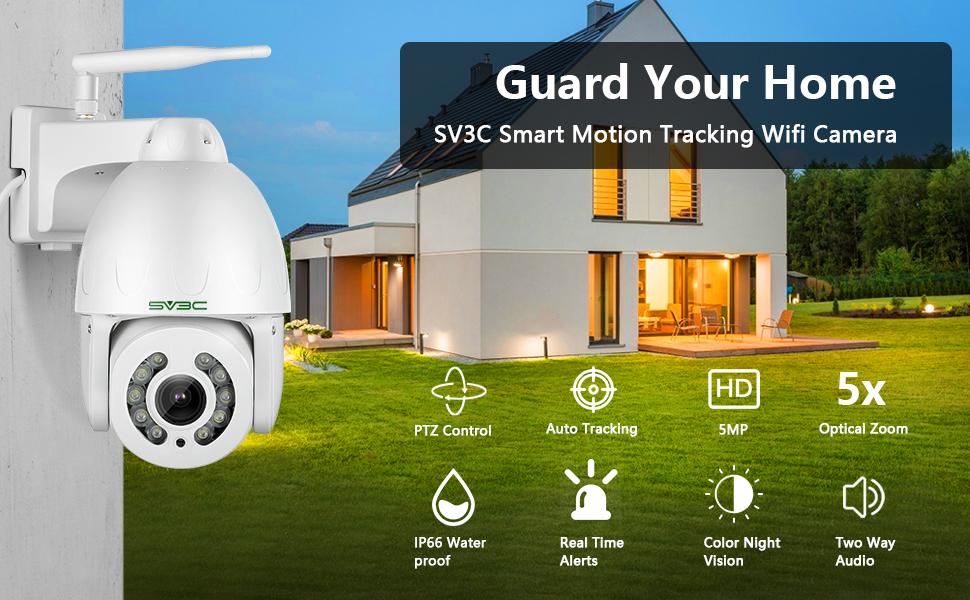
Using reliable security camera instead of spending high expenses in a security company, pay fair cost then you can get one functional Rotate IP security camera and lifetime tech help.
Expand Your Horizons—-Pan-Tilt-Zoom(optical zoom) camera with cruise covers 355°horizontal and 120°vertical rotation range, monitoring your home in all directions.
IP66 Waterproof —- All metal shell, robust aluminum with protection class IP66, SV3C PTZ outdoor wifi camera is also resistant in snow or in a sudden storm.
Remote Control—- Onvif conformant cctv camera work with onvif NVR, avaiable for iOS / Android / Windows systems/Mac. APP(Camhi App or Camhipro App) also support HIP2P Client.
Two-way Audio—-PTZ wifi ip audio camera built-in Microphone&Speaker realizes a real-time conversation. Feel free to talk with your families and scare away intruders anytime and anywhere.
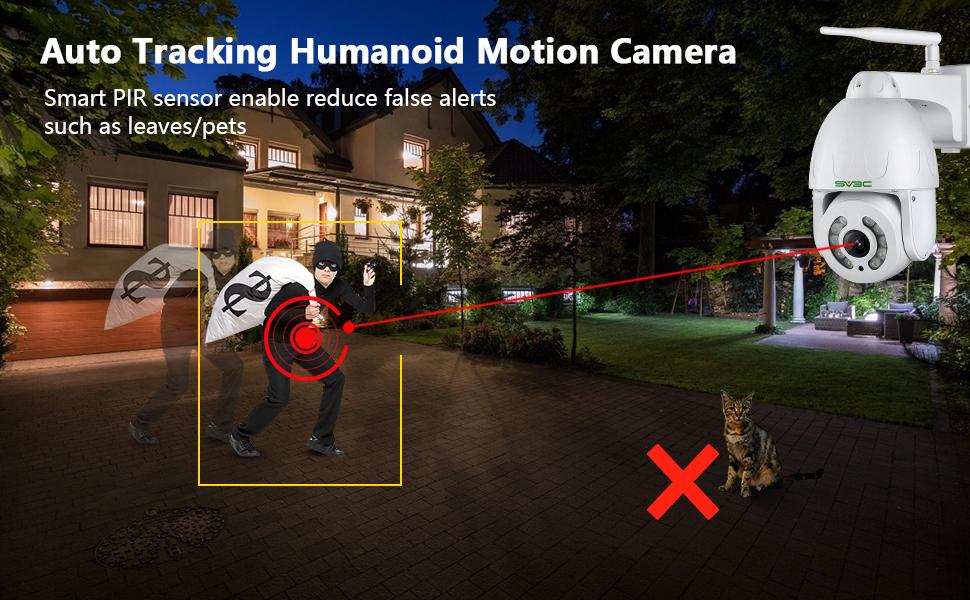
Auto Tracking Humanoid Motion Detection—- Highly sensitive PIR motion sensor with accurate software pixel analysis technology to double control and reduce false alarms, turn human reconogize function on, ip security montior camera support detect human motion only!
Please note this camera’s size: : 7.59*7.48*4.72(inch).
Smart 3 Mode Night Vision
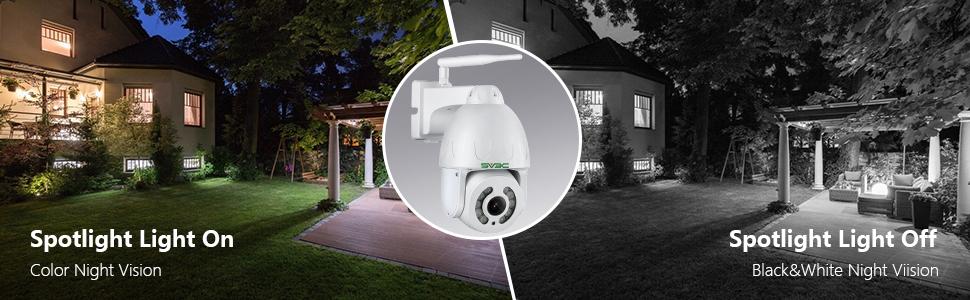
· Color Night Vision —- The home surveillance wifi camera outdoor built-in professional 10 pcs spotlights illuminates the surrounding area, see and record reliable videos in color clarity.
· White& Black Night Vision —- General Mode with Infrared LED lights, ptz wifi ip audio camera auto switch to night vision to capture HD crystal clear pictures & videos even in darkness.
· Intelligent Mode– Smart motion activated light alarm, home security ip camera equips spotlight as deterrent, which can be activated automatically and manually.
|
|
|
|
|---|---|---|
Pan Tilt Zoom WIFI Camera OutdoorWifi rotate camera outdoor turn its head 355° &120° Pan/tilt/zoom, which provide you a much broader and flexible view of ip cameras for home security. Use ptz outdoor wireless camera to get alarm pictures to the mailbox, alarm upload pictures & videos to the FTP server, Alarm record pictures & videos to Micro SD card, alarm mobile phone APP push. |
Motion-activated spotlight color night visionPTZ security camera outdoor support HD real colorful night vision, WIFI wirless ip camera builts with white lights will light up automatically if suspicious activities be captured, 10pcs array infrared LEDs, white& black night vision distance up to 196ft; 10pcs white lights, full color night vision distance up to 98ft. |
Super HD 5MP Resolution2.7~13.5mm lens, Stunning ultra-high quality 5.0 megapixel HD resolution, HD IP wifi wireless surveillance camera with Maximum resolution 2560×1920, featuring enhanced low light capability utilizing the latest image Sony sensor and chipset, capture really clear and true images in day or nighttime. |


|
|
|
|
|---|---|---|
Support SD Card &Video PlaybackLive view and playback your videos by cell phones & PC, Support Max 128GB SD Card (Not include). Please use surveillance Micro SD Card, SD-micro Class-10, UHS-1 or higher high speed memory card for record. Formatting the SD card if the ptz wifi wireless video camera can not read it. |
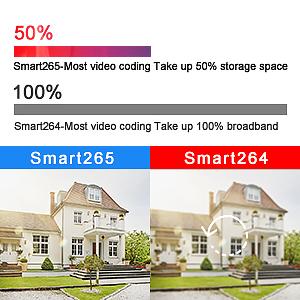
Smart H.265+ Video CompressionH.265+ format provides superior improvements in image quality and bandwidth, allows for faster, more fluid remote viewing. PTZ wifi wireless camera built with H.265+ compression, enjoy smoother video, reduces file sizes and bandwidth consumption. |
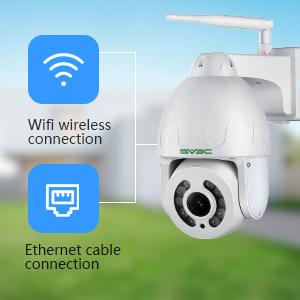
Two Way ConnectionsWifi Connection: Add wifi ip camera on your APP, set home wifi password for your ptz camera, then you can disconnect the Ethernet cable for wireless using. Only support 2.4Ghz! Wired Connection: Use Ethernet cable to connect with your ptz wifi camera and router.(not support POE) |



Dan –
Good Camera, Maybe a little OverpricedI was looking for an IP Camera that I would be able to view / access the settings ONLY in the browser, that doesn’t use Flash. This camera does this pretty well, except there are a couple of motion features that can only be accessed in IE (and not Edge, but old, defunct IE). I dropped it a star because of that. Otherwise, the motion detection seems to be working well, and the humanoid detection combined with the normal motion detection (they call it linkage) yields less false alarms. I would have knocked it another star, as the manual and interface is a little bit clunky, but the customer service support email has been really responsive and supportive.The video / image quality is really good. Night vision seems to work well, with a couple of different options to support different scenarios. I didn’t realize this had smart tracking (kind of follows its target) as well, which was a nice bonus I wasn’t really looking for. Seems to work alright — not really my use case though. There is also ONVIF and P2P support if that is what your looking for. There are actually quite a few bells and whistles on this camera as well (which could explain the price point), which are probably great for some use cases — just not mine.Since it has an ethernet output, wireless setup is really easy without using any priority software / third party apps. The email alarm works well, though I am still looking for a setting that let’s it save a more compressed version of the picture. The FTP setting also only works if you have an SD card in the camera — which for me kind of defeats the purpose — but makes sense as it’s not too practical to shove a ton of RAM into a camera for a temporary upload.I’d say if they’d release an update that cleaned up the interface a bit, added a bit more clarity around its settings, and supported modern browsers fully, this would be worth the price. Otherwise, I’m glad I had a gift card that paid for the majority of this.
David H. –
Great ptz camera that works.Review of SV3C Model SD10W-5MP PTZ WIFI camera:Initial setup: Setup of this camera was simple enough – usually I connect a new camera to my router and view connected clients to see what IP address was assigned, but this time I opted to use the CamHiPro app to find the camera on the network. Once connected to the camera via P2P it was a simple matter to enter a static ip and port number which I port forwarded in my Cox router. At that stage it easily connected to my IP Cam Viewer app for Android or CamHiPro.Next was the attempt to connect to my Amcrest NVR. That required entering an ONVIF port for access on my local network. Happily, that went smoothly and works just fine.Mounting and power: I removed an existing fixed camera and relocated it. This camera mounted on the same box. Since I had powered the fixed camera (non-POE) over the cat5 cable using inexpensive power inserter adapters, I powered this ptz camera the same way, and of course did not have to use wifi.Video quality: With this camera set to maximum 5 MP resolution the daytime video is sharp and clear. Where it excels however is night vision using the infra-red setup option. Just like one other SV3C bullet camera that I have had for awhile at another site, it is fully functional, and outperforms all the cameras I have on this system at my home (10 cameras total). The infrared extends usable video at night out to around 150 feet or better. The black and white night picture is sharp and detailed and a delight to see.Night color: I have mixed feelings on this one. The camera has white light LEDs to illuminate the scene brightly to allow for a color picture at night. Since I have motion lighting around the house, I probably will not be using this feature here.PTZ presets: This camera uses presets to predefine a ptz location so you simply enter the preset number and it pans, tilts, and zooms to that position. The only problem I found was with preset number 1 – if the camera is at for example preset 3, which includes a zoom in position, if you then select preset 1, which does not have a zoom setting, the camera goes to preset 1, but stays zoomed in. My work around – don’t use preset 1 – there are plenty of others to choose from.There is not a home preset that I could find, however the camera remembers the last position that was selected manually, and will return to that position after auto-tracking. Auto-tracking works OK, but is easily outrun by a person closer that 10-15 feet from the camera. This camera needs faster panning. It is obviously a simple programming change because my Amcrest NVR can set panning speeds, and speed 8 makes this camera pan fast.Alarms, push notifications, 2way audio, siren all seem to work ok, so I won’t spend time on those features here.Hopefully in future software upgrades, this camera will include preset tours with settable delays for each camera, a dedicated home preset programmable for any position, multiple passwords and levels, manual ptz motion alarm off option, and variable speed pan/tilt.Overall this is a great camera for its price point, and I will probably use a couple more soon.
Pablanski –
Great consumer or small business PTZThe media could not be loaded.
Camera ReviewGENERALRationale: The area had some minor crimes, we wanted better resolution so we could be as safe as possible.Installation and Instructions – The instructions are fairly straightforward. I used an impact driver, screws, and a drill bit all made for installation on cement. Depending on the design of your place, you may need to do the same. This is by no means an installation that needs a pro. If you’re comfortable around tools and cable management then you should do just fine. This camera is designed to be mounted on a wall (vertical), not a ceiling.Build Quality – It was a little larger than I expected but not in a bad way. It is rock solid construction that seems like it’ll be resistant to weather (we live in the Southeast so rain, salt, sun, hurricanes, etc).Camera’s web server – There are additional settings in the camera’s built-in web server. The site is best accessed via a laptop or tablet and is not formatted for phones, but still works.Local recording – I don’t use local (SD card) recording. I have a 3rd party NAS that I use to record rolling footage. From what I can tell there’s fairly robust settings in the supported apps to configure scheduling hour-by-hour and day-by-day along with intelligent person and motion detection.3rd Party Support – Event recording with NAS and other software is best supported if the camera is set to H264. I’ve used the H264 highprofile with great success.Mfr. Recommended Phone App (CamHi Pro) – The new app is nicer and easier to use than the legacy CamHi app. I’m going to uninstall CamHi and just hold onto the Pro version.Alerts – The camera is very configurable in terms of how you want to be notified when something is detected. You can do “all motion” or you can do “person w/ motion”. You can receive push notifications and even emails. There’s also an option to upload events to an FTP server.Wireless – This is the other biggie for me. I wanted something that’s more prosumer but not Power over Ethernet (PoE). PoE implies I’ll have to drill holes thru my wall and buy a PoE injected network device and I just didn’t want the hassle. This is far simpler. If you’re worried about the camera only supporting 2.4 Ghz, don’t be. That frequency can more easily penetrate walls than 5 Ghz. So if you’re pushing live video streams and want to keep the bitrate up, 2.4 is the way to go. Someone can correct me if I’m wrong.ADVERTISED FEATURES:5MP Resolution – It’s true. The resolution is great. If Amazon compresses the video I uploaded then you’ll have to forgive them and trust that we are very satisfied with the 2.5K resolution. Our camera runs at a resolution of 2560 x 1920 for the first stream and 800 x 600 for the second stream.Floodlight Support Color Night Vision – The lighting modes on our camera work as advertised. We were pleasantly surprised by how well this works. It’s a great deterrent. It’s not too sensitive to where it shines a light on everyone and everything. It’s just right where if someone comes into our front yard or along side our house at night, then the supplemental lighting will kick on.Auto Tracking – This is what I’m talking about! Why get a PTZ if it can’t do some of the work for you. When you enable intelligent motion tracking in the phone app (CamHi Pro), it will track people. I keep the camera zoomed out and it works to center the picture on the concentration of human activity. If you zoom in, it’ll pan & tilt faster to keep up. From what I can tell it doesn’t automatically zoom in on subjects but that’s fine with me. I want as much in sight as possible. With 5MP of detail, you should be able to zoom in to make out facial details.Humanoid Motion Detection – The humanoid detection creates a yellow box around humans. I’ve never found this too helpful since I can also identify people, but it might be just right for you depending on how you use the camera. Just as I was typing this it detected someone on their bicycle. That’s cool.Two Way Audio, Waterproof – Yeah I need waterproof since this is outside. Granted, it is sort of covered but also it’s sort of not. We do not plan on using the audio but if I ever do, I’ll update this review.Remote App / Software Control – Besides the great image quality and build quality, I wanted to have independence from recurring billing that you’ll get with more mainstream cameras. All of the data is stored locally here at the compound and I don’t have to pay anything more than what I paid for the NAS and the cameras. If you’re serious about security, this is the way to do it. As stated above, go with the CamHi Pro app for best results.VERDICT:It’s a great camera. Highly recommend.
ezjam –
Perfect cam to make sure my dispatchers don’t fall asleep at night.I work in a professional environment where we have over 200 PTZ cameras in use every day connected over various communication methods. DSL, Cellular Modem, ASE circuits, microwave and Fiber Optics. As such I am very familiar with using PTZ cameras.While this camera has PTZ lag, it is no worse than the professional cameras I have a work. Matter of fact, this camera seemed to stop quicker than the professional ones when panning. (At work, I often overshoot and constantly must correct.)It would not be fair to compare the zoom and optic capabilities of my work cameras with this one as those cost thousands of dollars. However, I will state that given the price point, I am satisfied with the quality of the image.As far as human tracking is concerned, if you walk perpendicular and close to the camera at a quick pace, it will try to track you, but will only partially succeed. If you are at least 10 feet, don’t walk perpendicular to it, or walk slowly, it does a good job at tracking a human form.Motion detection is also good enough if the motion is big enough to cover 10% or so of the image. If the motion is less than 5% or so, it will not capture the image. I believe you can configure the sensitivity, but I have not played around with it.An awesome undisclosed feature about this camera is that it supports RTSP and ONVIF, hence you don’t have to use the phone apps. Which I am not a fan of.URL for the video streams are:rtsp://[IP add]/1 for stream 1.rtsp://[IP add]/2 for stream 2.Default credential to manage via HTTP are admin:admin.Overall, I am happy with this camera and would recommend it for someone who wants a little extra security in their home.
Nickus –
OK Camera – but EXTREMELY disappointing app functionality.The construction of the hardware seems to be pretty solid overall and the picture quality is decent. Was able to get it connected to the WiFi and downloaded both camHi and CamHi Pro apps to compare. CamHi was slightly better, but not much.What I don’t like:*the power cable and cables coming off the camera are ridiculously short! It will not reach your outlet I guarantee it.*When viewed on my phone in full screen the picture stretches making everything look squashed and there is no setting to adjust the aspect ratio.*You can’t adjust record time for alerts – it’s 15 seconds*You can’t adjust frame rate – the option to adjust is pretty much just for looks*The reaction time when panning and zooming is extremely slow and unresponsive*There is no fine tuning on the camera angle. No option for a smooth pan, It’s a jerking movement from point to point with no middle ground – panning while zoomed in is a nightmare.*There is no default setting option that I have figured out. Seems to stay in the last position you viewed until it tracks someone then it goes to facing straight out again.*Although you can set preset angles, it will not store preset zoom and always reverts to full wide shot*There is no setting to have the camera automatically pan between preset points. You can only manually enter the points to have the camera look at that preset point.*the adjustment area for an alert is the same no matter which preset point you’re viewing. You can set it to ignore a half of the screen. And that doesn’t really work either.*the humanoid auto tracking is extremely jerky and slow to follow. Anyone walking nearby walks right out of the shot before the camera can track them.*No Mac OS app – only PC. I don’t have a PC so I can only view on my phone – also can’t view the feed through an external monitor which seems a little stupid.Overall, for the price I would not buy this again unless they greatly updated the app and controls. I would have returned it but I was out of the country when I ordered it and didn’t get it installed in time to see the actual performance. My fault.
Blueman2 –
Great optics, fantastic zoom, much improved AppI purchased this camera to allow me to monitor my back yard and pool area. This camera has the 5 things I required: – Local storage on its own microSD card (up to 128GB), so I do not have to pay cloud fees or rely on cloud connectivity – WiFi and Ethernet connectors – I use ethernet when I can, and WiFi when I must – Highly weatherproof so that it will last even in salty environments near the ocean – Good picture quality – A good App for both Android and Iphone so that I can view live feeds and history playback, again without having to use Cloud based services or pay any fees to do so.This camera checked all 5 boxes for me, and the price was attractive. I put in a 128GB card and it works great. It can be configured for ONVIF and RTSP for use in any security system without having to pay Cloud fees. It has WiFi and an RJ45 Ethernet jack. As far as weatherproof-ness, I have installed several SV3C outdoor IP cameras over the past 3+ years. I have not had any issues or failures so far. Two of the installations are for properties that are directly on the ocean (Maine and Florida), and the other property is in San Jose, Ca. All of the cameras are exposed to the elements. They continue to work and look pretty much like new. This new PTZ appears to have the same quality, so I am expecting it to last as well. Time will tell.The image quality on this camera was better than I expected, particularly the 5x true optical zoom. I have included 3 pictures so that you can get the idea. One picture shows the full image from the camera from my back yard. I have placed a license plate on the back fence, which is 95 feet from the camera, marked with a red arrow on the photo. You can just barely see it in the first image. For reference, the original image was 2560×1920 pixels. A second image is the same as the first, but I have set the image to show a 1:1 pixel so that you can see the actual detail of the picture. Amazon won’t let me upload the full resolution image, so this allows you to see the resolution of the actual image better. In the 3rd picture, I show the camera still pointed to the same place, but fully zoomed in using its 5x optical zoom. You can pretty well make out the license number on the back fence, 95 feet away. Impressive.The pan/tilt and zoom work smoothly, although it is a bit slow. The pan does a full 360 degrees. The tilt goes from 90 degrees (straight out) to 180 degrees (straight down). I do wish these PTZ cameras would allow some amount of ’tilt up’, but so far I have not found any reasonably priced camera that does that. It takes about 12 seconds to pan full left to right (360 degrees), which is kind of slow but pretty normal in my experience.The new CamHi Pro app (free) is very much improved over the older and less featured legacy CamHi App. Biggest improvement for me is the ability to view playback of video that is saved on the SD card of the camera using a time-based interface similar to that used by Wyze and others. I have included a screen capture to show. In the past, you had to download each video file and play them one by one to search for an activity. Now, you just scroll through the timeline to see what action is where. This makes the SV3C every bit as good as the cloud based cameras, but without having to pay for or rely on the cloud. BTW, if you still like the old file by file way of looking at things, that is still there too.Overall, I am very impressed with this PTZ camera, and thankful for the much improved CamHi Pro App with timeline based activity playback. I am probably going to buy a few more of this version to replace some of the non-PTZ cameras I have installed in the past.
Rob –
SV3C SD10W-5MP ReviewThis is a 5-Star evaluation of the installation and operation of the SV3C SD10W-5MP wireless PTZ IP camera ASIN B08ZKFX9SN. I am not an experienced Camera installer or an IT professional. Installation was problem-free, since I already owned a similar SV3C wireless 5MP PTZ camera. I had no issues connecting this camera wirelessly to my router on the 2.4 GHz band, using my Android phone, and SV3C’s app on the Google PlayStore called, “CamHipro.” I installed it outdoors and the picture and video quality is excellent. Both live and recorded video exceeded my expectations. This camera operated flawlessly in over 100º weather. (It has not yet been operated in below-freezing conditions.)Camera Qualities:1. This is a solid outdoor camera with a metal body (not plastic).2. Easy hardware installation includes Power Adapter, Network Cable, Manual, Bracket & Screws.3. Easy initial software setup using an Android smart phone (also iPhone-capable setup).4. This is a pan/tilt/optical zoom (PTZ) camera.5. It has an IP66 WATERPROOF rating (dust-tight and protected against strong jets of water).6. IEEE 802.11 b/g/n WIRELESS operation. No need for a POE (Power Over Internet) cabling.7. ONVIF capable camera operation using your own software (including TinyCam).8. Capturing video and snapshots using a paid-only cloud service is not required.9. Can be accessed on your network locally.10. Can be accessed remotely from outside your network if your router ports are opened.11. Capture to email, FTP, or locally on an SD card if you choose to purchase a card.12. No SD card issues using a SanDisk 128GB Ultra microSDXC UHS-I.13. Auto-motion-tracking humanoid (person) detection, adjustable sensitivity to avoid leaves & pets.14. Quality Daytime video. Has option for real COLOR NIGHTTIME recording or standard infrared.15. “Intelligent Mode,” option available utilizing the camera’s spotlight as a deterrent if needed.16. Additional sophisticated operation and detailed settings adjustment through any browser.17. Price of camera for the quality and features is very reasonable.18. No wireless connection problems at all, no lost wifi signal, or dropped video.19. Ultra-high quality 5.0 megapixel HD 2560×1920 resolution.20. Large number of position presets (camera pointing direction) available.21. Alarm emailed snapshots setting allows for 1-3 snapshots, not limited to just one.22. Two-way audio.23. SV3C staff is responsive to email requests for support within 24 hours.24. One (1) Year Warranty.Preferred future improvements:1. 5.0 GHz compatibility (2.4 GHz wifi connectability only).2. Pre-sets should include ability to set zoom-in/zoom-out settings after manually adjusting zoom.3. SD card slot more accessible (although SV3C provides plastic tweezers for installation).4. Compatibility with SV3C Smart Home app to utilize Google Assistant or Amazon Alexa.
KT –
Excellent pictures even in low light; uses 12v 2amp adapter.This model, like it brethren model C11, produced excellent quality pictures, even in low light. Zoom feature doesn’t offer much, since it is manual zoom and it took a few second to focus during zooming. Good thing about this model is that it uses standard 12v plug like other security camera. I was able to used existing power cable from the older 720p camera that uses bnc and power cable. Twice of the size of the older model and came with a tweezers, which I guess is for putting the microSD into the slot. Good wireless range and dependable for viewing live stream and play back.
Amazon Customer –
Update 12-10-22First this is a great product. Build well and everything in the box that you need. Power cord is extra long so you don’t have to buy an extension in most cases.The picture quality is great, both live and recorded, I use Blue Iris.I had a minor issue where the PTZ feature would not work with Blue Iris.I contacted SV3Cs tech support (they are in China) and they responded right away considering the time difference.I cannot say enough good things about the person I mainly communicated with (Joy).It soon became apparent to her that I needed a little more help and she set up a TeamViewer session with their tech manager and that person had me up and running in no time. Even after that they checked with me for a couple more days to be sure everything was working.Update: May not be good quality?I have 2, SV3C 5MP cameras, model SD10W-5pI bought them in June of 2022.Amazon has a return time of 82 days.I never tried auto tracking until recently. Auto track does not work properly on 1 of them.It will track from the left to the center.It will track from the right to the center.But, it will not track from right to left or left to right.I have taken it down twice and completely reset it and that did not help.Bob
Giorgio G. –
Quality WiFi PTZ cameraThe media could not be loaded.
This is my second SV3C camera (my first was purchased a little over a month ago, that model is a 15X zoom for the front of the house.) This camera purchase is for the backyard where 5X zoom was plenty. I installed it on a post (as you can see in picture) on the post of our back porch and hid the power wire behind the gutter. Setup was relatively simple with the CamHipro app on my iPhone: power up the camera, connect your phone to the camera’s WiFi and follow the steps in the app to configure the camera to your WiFi network. It also forces you to change the default password, so your camera will be secure once the setup process is complete. I am happy to report that this camera works great with the popular Blue Iris software for PC (though it’s not required.)As far as the camera itself:- Build quality: The camera itself feels hefty. Weight doesn’t necessarily mean quality, but it feels like a solid piece of hardware.- Mounting the camera: I’ve included a pic of the mounting plate. Drill pilot holes, and screw the mounting plate to whatever surface you want the camera mounted to. The camera hooks onto the plate. You lock/secure it in place using the supplied screw.- PTZ & Zoom functionality: Works as advertised. You can create preset positions using the app and then ‘recall’ those positions as needed.- Video/Image quality: I’ve attached a video that shows the image quality, PTZ & zoom functionality. The high resolution picture looks sharp and the colors are accurate.In summary this is a quality camera that just works out of the box.