


Description
Mackie big knob studio+ delivers a modernized, smart monitoring control solution based on the bestselling big knob, Plus integrated USB recording and playback. Professional routing and switching includes a selection of four sources, including USB playback, and a choice between three pairs of monitors, each with independent gain trim to ensure balanced listening levels. Two Onyx mic preamps deliver a convenient, high-quality desktop recording source coupled with high-resolution 192kHz/ 24-bit audio conversion for solid sound quality Whether recording or mixing. With dual headphone outs, a dedicated amp-driven studio output and flexible I/O options, big knob studio+ is truly a nerve center for any professional studio.
From the manufacturer
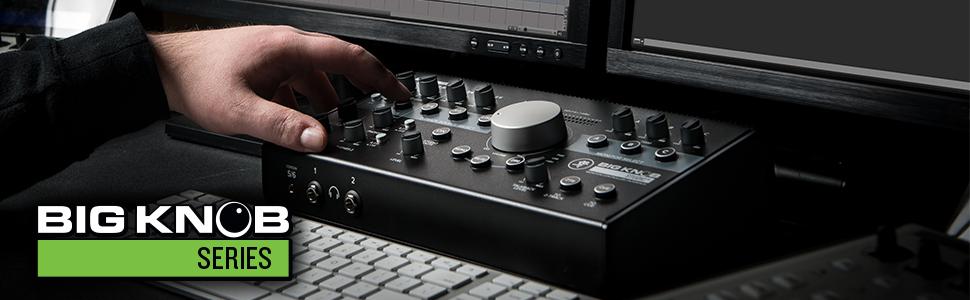
ALWAYS IN TOUCH
With high-resolution goodness of an Onyx recording and playback solution, Big Knob truly becomes the nerve center for your studio.

More Than Meets The Eye
Studios of any size can benefit from the professional source/monitor selection and precise level control of the Big Knob Series. If you are looking for excruciatingly simple volume control/monitor switching, the Big Knob Passive delivers at an amazing cost. No matter what size studio, Big Knob is always at the top of the recording studio equipment shopping list.
With three models, each delivering flexible solutions, there is definitely a Big Knob right for your application.
|
|
|
|
|---|---|---|
Premium Onyx Recording/PlaybackBoth the Big Knob Studio and Big Knob Studio+ offer high-resolution up to 192 kHz, featuring dual Onyx mic preamps, delivering an ultra-wide 60 dB of gain range and award winning sound quality. |
Flexible IntegrationThe expanded Big Knob lineup offers models with unique feature sets and I/O to suit a huge range of applications. Features like dual headphone outs, a dedicated amp-driven studio out, a true cue mix and more ensure Big Knob will fit right into your studio or workplace. |
Pro Source and Monitor SelectionThe Mackie Big Knob has been the go-to monitor controlling solution for home and professional studios. The all-new Big Knob family takes the best of this classic workflow, delivering the right solution for the modern studio. |


Larry W. Smith –
What I Really NeededThe Mackie Big Knob Series, Passive 2×2 Studio Monitor Controller is working well for me. IT was easy to connect and use and solved my problem of needing to connect my studio monitors to work back and forth between two different daws. I think it may color the output a little, but I haven’t had it long enough to know for sure. But that’s okay because I can compensate for any coloration once I have done a few mixes using it for playback.
Amazon Customer –
2 Years- Static-FailingThis is my second time buying the mackie, I’m not here to shame them, but I will NEVER buy this again. I NEVER touch this thing and now the inputs for my speakers play when they want to. I can’t explain this because I rarely touch this. This happened twice with the same machine. Super static on the first big knob, now my speakers come in and out as if I had a short. Not happy.
J. Magrath –
YAASSS!!!This little beast is amazing! Exactly what I was looking for in my studio. Gives you two source options and two monitor options. For me I use only one source, but the two monitor options… Hallelujah! Makes it so easy to switch between my mixing monitors and my play back speakers. The fact that it is passive, is a major plus for the outlet deprived. The only thing I would note is when everything was plugged in, my play back speakers gained a buzzing noise (I’m thinking a ground loop occurred somewhere), but a Behringer MicroHD HD400 Ultra-Compact 2-Channel Hum Destroyer took care of that. All in all I’m very happy with my purchase.
SFGCO –
Excellent Audio RoutingI needed a solution to control audio source for my studio monitors. The passive big knob was more than capable of being the primary out to my Yamaha HS8’s, while controlling whether the monitors were receiving the out from a Sonos Port or my laptop audio passed through a mixer. As a bonus, the knob is now the controller for volume across all channels, eliminating any confusion and mix-ups – volume up, volume down, one knob to rule them all.
Maher –
Does what it’s designed to do, and does it well.This is a great little device that I didn’t even know I really needed. But it helps me swap back and forth between my main monitors (Kali LP6) and my secondary monitors (Avantone Mixcube). The ability to go back and forth really quick is great in illuminating how my mixes translate.Also the Mono button is a big help.It’s not complicated. It has one job to do and it does it well. And BTW, the fluidity of the big knob isn’t that bad.
Kristoff Heinz –
Big Knob for the winI was looking for a way to assign output signal from my mixer/interface to either my PA system or my monitors. This made switching between the two easy. The quality is great and on par for Mackie equipment. The huge speed dial is so efortless that the mute button is never needed. I am only using a single input source and don’t have use for sending a mono signal so I can’t comment on those features but I cant imagine there would be any issues there. The DIM feature didn’t seem like something I would use at first but it cuts the gain and brightness down when I use my PA at lower volumes, making it sound really nice and not so aggressive.
Eric Suarez –
This is a disposable product. It will fail. But I knew that when I bought it.For $70, you can’t ask too much of a monitor controller. I get that. But even upon first use, I couldn’t help but feel as though the signal was being colored/affected. It’s subtle for sure, and for such an inexpensive unit certainly negligible, but I figure it’s worth mentioning since so many people claim this unit is 100% transparent. It isn’t. But by no means does that mean it would affect your audio work, unless perhaps you were a mastering engineer. Other than that, this knob has served me perfectly fine for the last several months.Of course, there’s a reason this thing is so inexpensive. And sooner rather than later that reason will make itself apparent. I bought the Big Knob Passive mid-October 2020. It is now April 2021. So having owned this thing for only 6-7 months, there’s now crackling and static being produced by the unit. It’s present in both source inputs. And on top of that, it’s no longer outputting L and R signals equally. You can “fix” this problem by mashing the switches and twisting the knob until it rebalances the outputs, but this obviously is not a reliable solution. These are both issues that you can see other reviewers complain about, so I can’t say I’m surprised. Quite honestly I was anticipating these problems, although I had hoped the unit would be able to last me a year.Long story short, don’t buy this if you’re looking for it to last you many years. It’s more or less a disposable product. I bought it knowing full well this was likely the case, given other reviews and it’s price. I was fine wasting $80 on this unit because–let’s face it–it’s such an insignificant sum of money compared pretty much any of the other respectable options on the market. That said, I don’t expect everybody to see it that way. If you don’t want to have to replace this thing in 6 months time, don’t buy it.
Rick Breeick –
Pretty nice!… with a few “mehs”Great audio interface overall. I bought this as an audio interface alternative to the moto m4 (discontinued i think). After reading the reviews I was a little skeptical because I heard about issues with the knobs Being Cheesy, as well as several other issues. It is very well-built like most old school Mackie equipment, however I did notice that the attenuation of the knobs is very cheap. They kind of Wiggle a bit and if you wiggle them while they’re turned up you’ll hear the volume cut in and out or the signal cut in and out. That’s not good for production… as it can cause static, or actually not function at the proper gain or volume. I really like that the earphone amp runs super hot, but they’re the knobs that feel the cheapest!? Mackie needs to fix this asap! A less sensitive big volume knob would be better suited as well!Pretty solid product overall
Twelvizm –
Clean signal, easy interface, small footprint.Life Story Ahead:My M Audio BX8’s were getting a little long in the tooth, so I replaced them with the new Adam Audio T5V’s. I wanted something that took up less desk space and those amazing Adam ribbon tweeters! Once I got them, I instantly missed having a bottom end. I ended up keeping the BX8’s just to reinforce the lows. This revealed a problem with my old Steinberg UR44 interface, it couldn’t output to two sets of monitors! I then stumbled across the Mackie Big Knob Studio, and despite the silly name, it’s proving to be a quality bit of kit. It does everything I want in a monitor controller. My only wish is that there were more resistance in turning the wheel. It moves very freely, and is easily bumped.I think most importantly with something going between your audio source and your monitors, is how clean the signal passes through. Given the clarity of my Adam monitors I can tell you this is passing through a signal without adding noise.Overall, I very happy to add this to my studio.UPDATE: After updating to Catalina, I’ve been having a wierd issue. It’s as if the Big Knob Studio goes to sleep if there’s no audio for awhile. It then takes 8-10 seconds to “wake up” and start playing. I don’t know if this is an OS issue or the Mackie, but it’s driving me nuts! While looking for a solution I realized that Mackie doesn’t publish Mac drivers, which means Mackie won’t be solving this problem. I’ll be putting this up for sale on eBay and finding a similar device from a company that’s more proactive in taking care of Mac users.
JB –
Amazing Addition to My StudioBeing able to Swap between Monitors , Mute or quiet with a push of a Button and the ability to have total control with a quick flip of the wrist is Amazing….I like it so much I bought one for my Brothers studio as well….