


Description
From the brand
Product Description
Plug ‘n Play USB Recording Microphone
- The USB recording microphone plugs right in and can be used immediately. Since it is strictly USB, both PC and laptop users will benefit. Ready to use when and where you need it. Great gift for musicians, youtubers, podcasters.
- The Recording microphone available that offer high-quality recordings and plug directly into your computer. Recording microphone for YouTube videos work with any recording software or communication platform, so you don’t have to download special drivers or tools.
Improve the Sound of Your Audio Projects
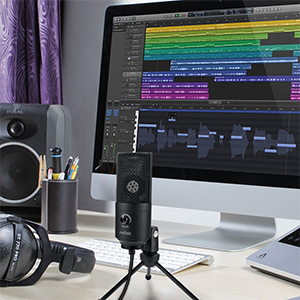
- Condenser microphone with USB output for digital recording.
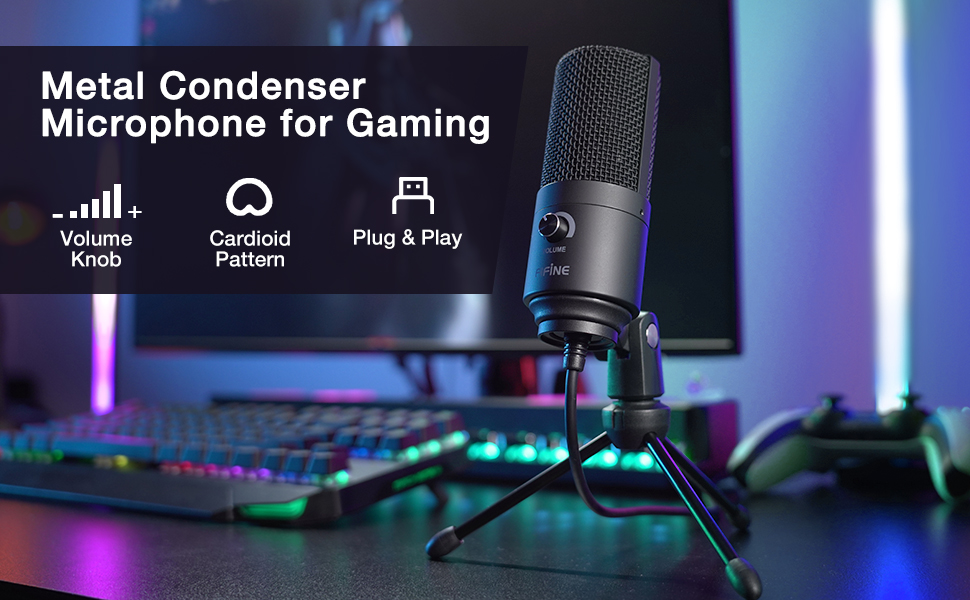
- Gaming microphone for streaming has a cardioid pick up pattern, this usb mic is really great at picking up vocals and leaving background noise out of the recorded audio.
- Gaming mic for ps5 with volume control allows you to adjust the voice input.
- Smooth, extended frequency response pc microphone usb ideally suited for podcasting, home studio recording, field recording and voiceover use.
- Computer microphone for gaming is compatible with Windows, Vista, XP, 2000 and Mac OS X.
- Microphone for mac for multipurpose itself feels really durable as it is constructed out of metal, and it comes with Tripod desk stand for secure and easily portable tabletop use.
- USB gaming microphone is best suited for: podcasting, voice acting, recording Let’s Plays, recording voice-overs over a mix/podcast.
Ideal for voice recognition software, iChat, VoIP and web casting.

Usb plug-Simply plug it into your computer’s USB port with the included USB cable, calibrate it with your operating system, and you’re ready to record.
Usb cable-The provided cord is long enough to keep on your desk and away from extra noise.
Metal stand-The tripod stand as it is convenient when you are doing something while you are using it.
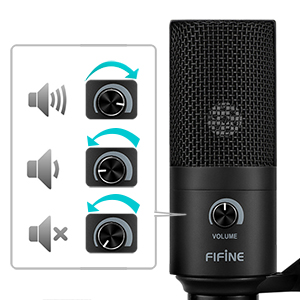
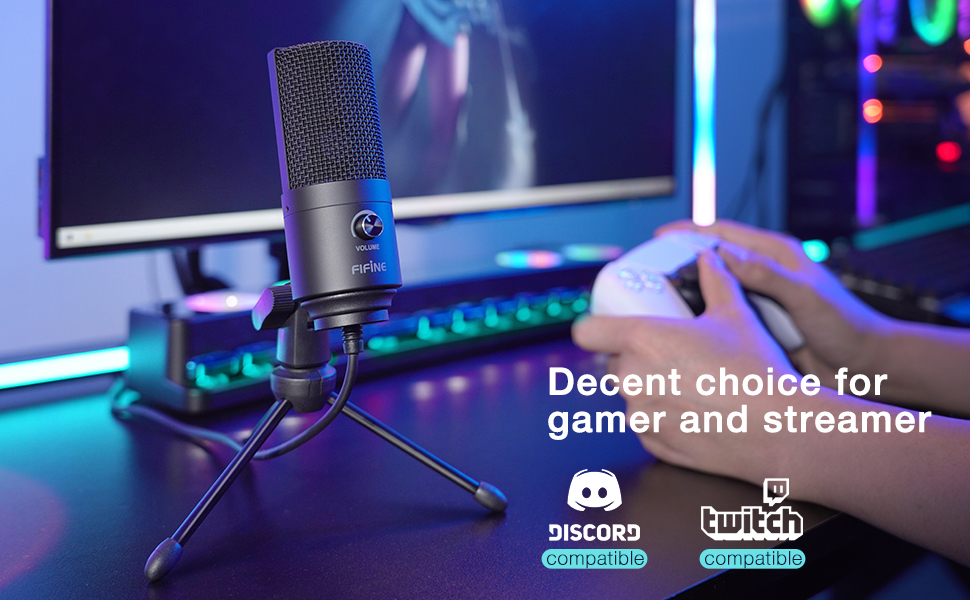
There is a volume knob on the unit itself so that you can adjust the volume to what you need at the time so the recording quality is just perfect.So whether you’re conducting a meeting via Skype, nurturing a relationship across the globe or streaming a gaming session on Twitch, you’ll be heard loud and crystal clear.

The recording quality is clear and crisp in normal speaking voice with no need to yell or raise your voice.Clear sound Perfectly suit tasks like podcasting or voiceovers, good performance with vocals and even instruments.


Mark –
Lighter, better looking and over all better sound than the Yeti.I was skeptical of this mic despite the glowing reviews – even the limited reviews on youtube are good, with most finding that the limitations of the microphone are far fewer than it’s benefit – which, frankly, is it’s price. I picked it up for $24 dollars on a flash sale, but it’s well worth the normal price for how it sounds.I picked it up with the Neewer NB-35 Microphone boom arm (which is PERFECT for this microphone, btw and comes with a pop filter!) Less than 50 bucks for a complete usb microphone setup. That alone is pretty great.Less than a week after buying this, however, I was at bestbuy for a big sale, and saw that the Blackout edition Blue Yeti was on sale with the ghost recon wildlands game combo for a shocking $75 dollars. So I bought it.I’m a singer/songwriter with 20+ years of recording behind me and play PC games and do some streaming and needed a new mic.All day I’ve been testing this mic (I have the black Fifine K669B for the record) and the Yeti side by side. The Yeti is larger, feels more premium, and has a mute button, gain control adjusts to louder volume, has 4 different polarity settings for doing podcasts or recording in stereo among other things. But I tested this side by side with the Yeti using the Yeti’s cardioid settings to match the Fifine’s. I adjusted the gain controls to be the same in windows, and slightly higher on the Fifine’s gain knob to match the Yeti so they were as evenly matched as possible.I cannot distinguish a large enough difference in the audio (flat recorded in mono with audacity) to truly be able to justify the already discounted price of the Yeti compared side by side with the Fifine.Yes, the audio is just that good. I mean, as good as a USB mic is going to be. If you have the extra scratch and need more than one polarity pattern than just right in front of the mic (and the sides) then you cannot go wrong with the Fifine. I was so taken aback after hearing such good things about the yeti, but they both pickup the same background noises, and feel very similar. When positioned about 6″ from the mics with pop filters in place, my voice felt more natural coming from the Fifine, with a bit more clarity perhaps in the Yeti but barely noticable. What bassiness there was (my voice isn’t very bassy) was – to my ears – better on the Fifine. Not like, stupid bassy, but naturally the tone sounded more pleasing. And that’s where this mic will be, about 6″ from my face. It’s small, light, very well made, all-metal, and about 1/4th the size of the Yeti. And the yeti weighs A TON, and has some bizarre irregular threading on the mount part where you need to buy a specific adapter or pray that you get one that the threads like. The Fifine just works. And if something happens to it you just buy another one for 25 bucks and call it a day.For professional streamers or people looking for a pro-level mic for doing voice/singing work, neither mic is going to be worth your time, you’re going to want to use an interface and XLR mic/s for that, to get the sound as good as it can be. But if you’re laying down tracks, writing idea songs, playing around, gaming, streaming, chatting with your friends in discord, this mic is an incredible value. I wish it had a mute button, that’s a downer. But you can just turn the gain all the way down.I don’t work for Fifine or Neewer, and I really want to like the Yeti, but I’ll probably return it in the morning. It’s a beautiful mic, but not as beautiful as having 50 bucks and something that sounds just as good. (IN CARDIOID MODE that is.) Also the Yeti is bigger, heavier, and takes up more space. I thought for sure when I started testing them that the Yeti was going to blow my mind, but insanely I can NOT tell the difference, or rather, I cannot detect why anyone would believe the Yeti is better sounding.I feel that maybe it’s a reputation thing, as with the Beats headphones. Beats aren’t all that good, my daughter has a pair and when I listen to them they’re not bad but sound about as good as a pair of Klipsch I paid 30 bucks for on sale. Same situation here. I think Yeti’s are maybe for people who either need that headphone passthrough, plan to use this for something greater than streaming or talking, and kids who just think they’re good because other kids use them.TLDR: Don’t be fooled, trust your ears, and just get this microphone and try it for yourself. You’ve got very little to lose.
ChicFlic –
In 1 Word, “WOW”I have been doing some research to find a computer microphone to use with video interviews. I have come to the conclusion and accepted that all webcams’ built in mics are substandard. Few people realize that in video meetings it is the audio that is critical. People can accept a not perfect video image of you, but if they can’t hear you very well. Forget it!This FIFINE mic came in a nice packaging and felt heavy and sturdy. I plugged it in my WIndows PC and in a few seconds, it was recognized and working. I went online and used one onf those services where I can test my mic. My 1st reactions was WOW. I can hear myself crystal clear. No hiss. No background noise. I compared that with my buil in mic from my webcam. The sound was muffled and skippy. The difference was so dramatic that I was shocked. How could I have survived so long without a separate mic? Given how inexpensive FIFINE is…it is well worth it.
Sandra Sulibit –
Good for recording, but a little bit much for a regular gaming microphone.The recording quality is great, I personally thought it sounded very clear and crisp. However when it came to regular use on voice chats such as Discord, I found that it took a bit of playing around with in the settings to get it to a level that sounded pleasant for my friends, but it still wasn’t as satisfactory as I wanted it. Even after changing the gain on/off, messing with noise cancellation settings, etc., I just could not manage to get it to a point that was comfortable enough for both me and people on the other end. I decided to return it because of this and reorder a different model FIFINE microphone, which I have used in the past and had no issues with (besides the fact that it eventually stopped working for whatever reason).
Corey –
Rugged and impressive build quality!This is a solid microphone. The body is made of metal not plastic. Bought this to narrate videos that I create. Plug and play and quite responsive. The volume knob is a nice feature, the little tripod desk stand works fine, can be adapted to fit standard microphone stands. Works like a charm right out of the box with Audacity and Movavi video editing software. Cannot believe the quality for the price along with the convenience of USB interface. I don’t need to drag out a mixer, pre-amps and XLR cables, just plug and play!
Auden –
Works but quiet and has a lot of whitenoise.I’ve used this microphone for six months now. So far, it has held up pretty well.I first purchased it due to the overwhelming amount of good reviews and the sound quality test videos in them. Videos were both in review section of this product as well as on YouTube. I’m sure LinusTechTips even covered it. They were loud and clear, with little to no white noise. Upon arrival and use it is not up to the promises made by those reviews, and therefore I am quite disappointed.After my purchase this is what I found out:The microphone has some sort of driver issue. At points it will change its own input volume. Sometimes it picks up audio every half second and the other half it does not. You’ll either have to reconnect the microphone or restart your PC, there is no consistency to which one works. I thought it was an issue with my computer so I tried resetting it as well as uninstalling and reinstalling the drivers. Issue remained.1.- Volume knob 30-40%- Microphone Volume in Windows at 100%- About 10cm (4 inches) away from mouth The sound quality is great at this point if you test it on recording applications. However it does not matter when others don’t hear you that well. I’ve used it across various applications from Zoom, Discord, Teams, etc and the problem is quite consistent. Even when I raise my input volume to max and the other person raises theirs to max, I’m still quiet.2.- Volume knob 55-60%- Microphone Volume in Windows at 100%- About 10cm (4 inches) away from mouthLoud but not clear. It picks up a lot of white noise. Again, not as satisfactory as people say it is.3.- Volume knob above 60%- Microphone Volume in Windows at 100%- About 10cm (4 inches) away from mouthNope. Nope.4.- Volume knob at 55-60%- Microphone Volume in Windows at 80%- About 10cm (4 inches) away from mouthStill quiet. Definitely better than #1, but just not enough. At this point I discover there is also a bug where the white noise mostly goes away when you shift the windows volume to be lower and the gain/volume knob on the microphone itself to be higher. Upon disconnecting and reconnecting after setting the volumes to these, the white noise comes back. The white noise went away only a few times but now I just can’t seem to replicate that.4.5.I buy a mic arm. The mic is now stationed 30cm (about 11.8 inches) from the table. I repeat step 1 to 4 to see if any of them works. Nope. White noise is still the exact same. I turn down the fans and every possible noise in the room. Same same. I realize it’s the mic, not the environment.After this point I don’t even worry about the microphone itself and use software.5. I keep the 55-60% knob volume and 80% windows volume and resort to noise cancelling on the applications I use. Works sometimes and does not work also. Again, microphone has some issues and inconsistency with input volume.6. Same settings, I use Voicemeeter Banana. The application itself brings extra whitenoise after each spoken sentence but very decent volume gains. The noise cancelling in applications do not help.7. NVIDIA Broadcast on top of Voicemeeter Banana, without noise cancelling on applications. Good enough but now it does not pick up quieter “Mhm” or small hums.8. NVIDIA Broadcast with 100% windows volume and 60% volume knob on hardware. Works. Less white noise but still does not pick up quieter things you might say. Now the issue is I have to start up an application to fix this.After testing out multitude of things in the span of six months to fix the issue most other people do not seem to have, I decide I either received a faulty product or the reviews are fake.I also dropped the microphone earlier today a few times while moving my setup. It is not broken or damaged in any way. This thing lasts for sure.In conclusion, the reviews were indeed too good to be true at the price point for a USB mic. Does it work though? Yes, yes it does, just not as advertised and not good enough for how decent of a feedback it has from people. It’s not worth it for the amount of adjusting you’ll need to do to make it work decently enough. But if you’re okay with that, go on ahead.
Ash –
Was bought as a requestSon asked me to buy this for his gaming on his PC. He said he did his research. Said it was great quality and his friend had one as well already. Great product and well made.
Brian Murphy –
Good quality for conference callsI purchased this so my voice would come across clear on video calls. The quality compared to the built in mic of my laptop is night and day. I’m sure it would work well for recording social media content.
Bob –
Unsure about quality sound, but the housing is good.I cannot tell if I am messing up settings or the mic is bad so I can’t review it yet… I will update my review if i can figure out thr software.
Andy –
I haven’t heard any complaints from anyoneIt is well-made, easy to set up, and at a good price.The only ‘negative’ is that there is no mute button, but instead it has a dial.*Use push-to-talk with whatever app you are using.
isis hunter –
good for clumsy peoplei’ve had this mic for quite a bit now, maybe over a year and it’s still intact. it has fallen over many times and even has a dent but still works perfectly fine. i don’t know if there is noise cancellation because when i would talk in game, people could hear my fan or my birds, but with discord it works decently. if you just need a cheap mic that will allow you to communicate with people or if you do audio recordings for songs and such like i have, i would get this. especially if you are a beginner artist making music and this was the cheapest thing you could afford.i got one of these for a friend and he loves it. i plan on buying an even better one from this company soon.