Description
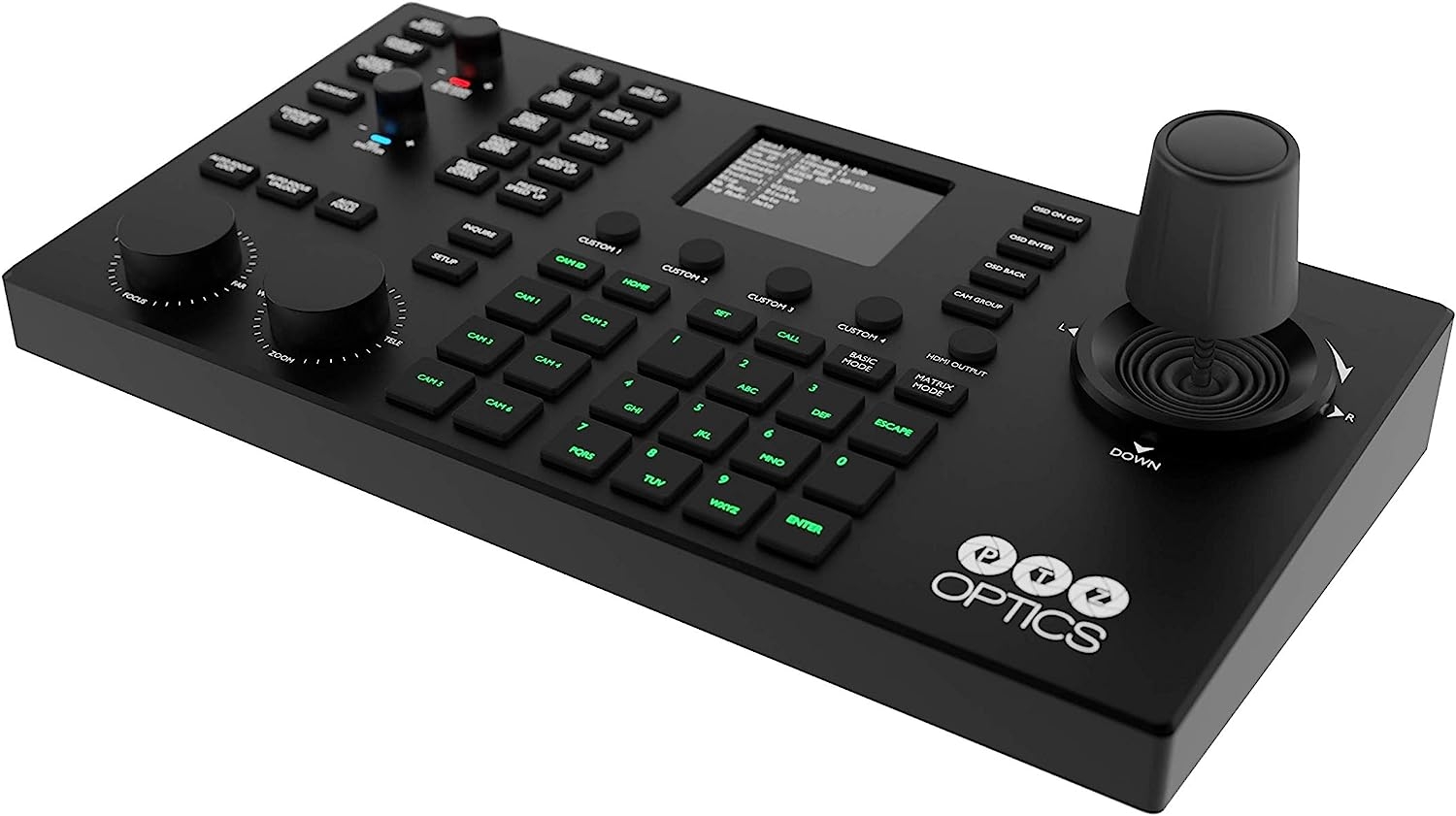
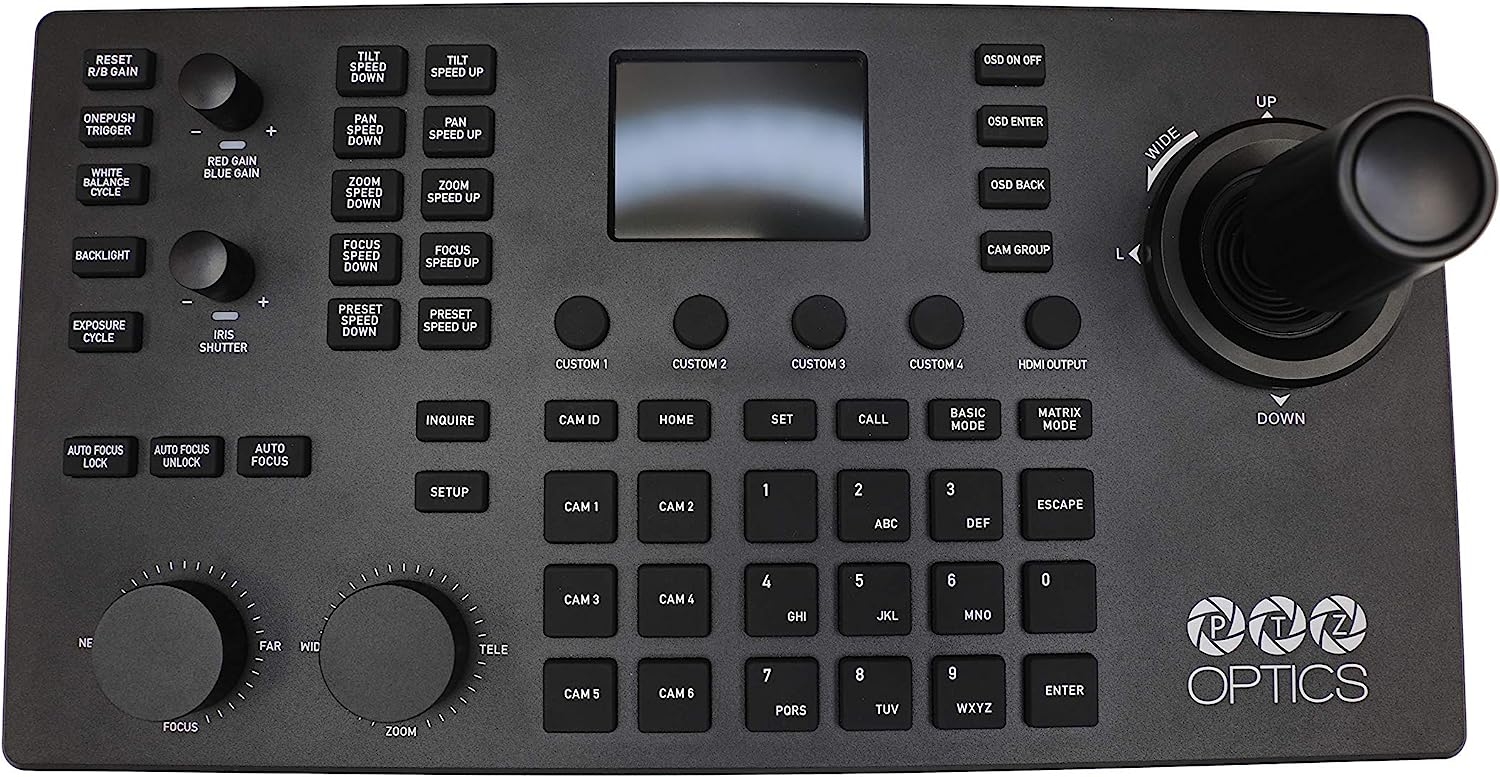
The PTZOptics SuperJoy Joystick Controller is a comprehensive solution supporting mix-and-match serial and network-based control for PTZ cameras of any generation.


Event Tech Case Studies, Applications, Technologies, Directory, Manufacturers, jobs

$1,429.91
This product is sold and shipped by Amazon. When you click "Buy Now," you will be redirected to Amazon.com to complete your purchase.
The PTZOptics SuperJoy Joystick Controller is a comprehensive solution supporting mix-and-match serial and network-based control for PTZ cameras of any generation.
| Weight | 2.29 kg |
|---|---|
| Dimensions | 12.7 × 37.85 cm |
| Brand | PTZOptics |
| Model | PT-SUPERJOY-G1 |
| Part Number | PTSUPERJOYG1 |
| Hardware Platform | Camera |
| Special Features | Wireless, Ergonomic |
| Batteries Included | No |
| Batteries Required | No |
| Connector Type | HDMI |
| Department | Mens |
| Item model number | PT-SUPERJOY-G1 |
| Product Dimensions | 21.84 x 12.7 x 37.85 cm; 2.29 Kilograms |
| ASIN | B08W5FNNH6 |
| Date First Available | 8 February 2021 |
| Manufacturer | PTZOptics |

More help & support
| 🛒 How it works | ❓ Buyer FAQs | 📢 Supplier FAQs |
| 🚚 Shipping & delivery | 🔒 Payment terms & security | ↩ Returns & refunds |
Still have questions? hello@eventtechnology.org





Amazon Customer –
Very Good in Church Setting, but…..
Ultimately when I got this to work, it was just as the other reviews left by other users were: very easy to implement, and responsive. Couldn’t believe it. And the panning is super-smooth.However, things to know before implementing this:-If you’re planning on putting this on your network, DO NOT do so if you have networked security cameras on the same network switch as your PTZ camera and the Superjoy controller. I had 2 weeks of pure frustration and almost returned this because, I couldn’t control the PTZ camera. The WebGUI picked up the camera fine, I could take snapshots from the web interface, and even return camera to its default position. But I either couldn’t control the camera, or had to go through a weird procedure of turning the PTZ camera off, restarting the network switch, then the SuperJoy controller to finally get it going- and and not necessarily in that order. I was terrified of turning of the Superjoy, else I wouldn’t have control of it again.I only got hint of a solution pouring over forums concerning the SuperJoy not connecting via network (of which there aren’t many); and I got tipped off when someone was complaining they couldn’t get their Super Joy controller to work on their network as well- and he happened to mention he had security PTZ cameras.I resolved my issue by putting the security cameras on its own router connected to the network switch- so the SuperJoy couldn’t ‘see’ them. after that, the controller has been a breeze to use.-The focus tends to change on a whim, so things will suddenly get blurry on you. So I’ve learned to keep a finger on the focus button, to bring things back into focus-Also, the HDMI out doesn’t work on all monitors, especially if you’re using a VGA-to-HDMI adapter attached. You’ll get the “Out of range” message on your monitor. I went through three monitors and finally got it going on a much older [and square] 17″ monitor. Not ideal, but at least it works
Karl W. Weaver –
I now have full control of my three cameras.
I have been waiting for this SuperJoy Joystick release for some time now. I finally got it two weeks ago and it was a breeze to setup. I just connected it to my POE switch with an Ethernet cable and it powered right up. I got a regular 22″ monitor w/HDMI hooked up to it and now I don’t have to look at the streaming software to set up the shots. My favorite feature is that the “Auto Focus Lock” button, which flashes green when enabled, and I know the focus will not go hunting every time the subject makes the slightest move. I like how easy it is to set the presets by just holding down a numbered key for a few seconds and it is set. This one feature helps me a lot of time because the band does not set up in the same spot each week and I can quickly move each camera and save change the preset before every stream. I’m still learning all the features, but this was worth the wait. Well done PTZOptics!
Dinzova –
Good
I was returned for once, deu to connection. But the second was fine. It works pretty good.
Kevin –
This is pretty good
This works great. I programmed with another brand pretty easily. When you push a camera it comes up using the hdmi. You can preview each camera and it’s great
TIger –
Excellent!
This has been an amazing addition to our lineup.Quiet keys, Good response, and is issue free.
Sharon B. Richardson –
Love it, game changer
Love this easy to use powerful controller
Herbert Yuen –
Great Controller
Great addition to Church Virtual Broadcast.