


Amcrest UltraHD 4K (8MP) Outdoor Security IP Turret PoE Camera, 3840×2160, 98ft NightVision, 2.8mm Lens, IP67 Weatherproof,
$184.66
🛒
Amazon Fulfilled Product
This product is sold and shipped by Amazon. When you click "Buy Now," you will be redirected to Amazon.com to complete your purchase.
- Payment processed by Amazon
- Shipping handled by Amazon (Prime eligible)
- Returns via Amazon's 30-day policy
- Customer service provided by Amazon
Additional information
| Weight | 689 kg |
|---|---|
| Dimensions | 15.24 × 15.24 cm |
| Part Number | IP8M-T2499EW |
| Size | 1 Count (Pack of 1) |
| Colour | Black |
| Material | Metal |
| Power source type | Corded Electric |
| Voltage | 12 Volts |
| Wattage | 7.5 watts |
| Item Package Quantity | 1 |
| Light Source Type | LED |
| Plug Profile | Ceiling Mount |
| Special Features | Night Vision, HD Resolution, Local Recording, Weatherproof, Image Sensor, Motion Sensor |
| Included Components | Quick Start Guide |
| Batteries Included | No |
| Batteries Required | No |
| Length | 8 inches |
| Width | 6 inches |
| Height | 6 inches |
| Item model number | IP8M-T2599EW |
| Product Dimensions | 20.32 x 15.24 x 15.24 cm; 689 Grams |
| ASIN | B07RHQGS8V |
| Date First Available | 6 May 2019 |
| Manufacturer | Amcrest |
10 reviews for Amcrest UltraHD 4K (8MP) Outdoor Security IP Turret PoE Camera, 3840×2160, 98ft NightVision, 2.8mm Lens, IP67 Weatherproof,
Related products
-
↗ Amazon
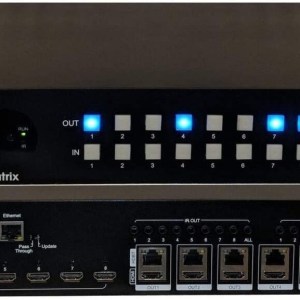
8×16 8×8 HDR 18GBPS HDbaseT 4K Matrix SWITCHER 16×16 with 8 Receivers HDMI 2.0a 2.0 CAT6 CAT5e HDMI HDCP2.2 Routing SPDIF Audio
$2,999.98 Buy now -
↗ Amazon
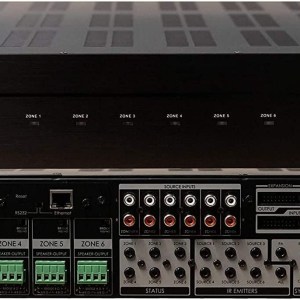
6×6 Whole House Amplifier Matrix Smart Home Amp with App 50 Watts 6 Zones 12 Speakers Control4 Savant URC RTI Simple Control 100
$1,299.99 Buy now -
↗ Amazon
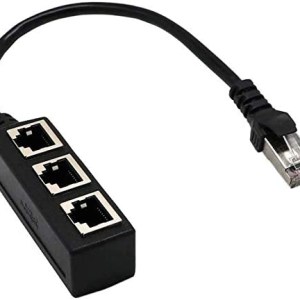
KOROMU RJ45 Ethernet Splitter Cable,RJ45 1 Male to 3 x Female LAN Ethernet Splitter Adapter Cable Suitable Super Cat5, Cat5e,
$10.08 Buy now
More help & support
| 🛒 How it works | ❓ Buyer FAQs | 📢 Supplier FAQs |
| 🚚 Shipping & delivery | 🔒 Payment terms & security | ↩ Returns & refunds |
Still have questions? hello@eventtechnology.org





SmartHomeConsumer –
At $109.99, the 4k Turret Camera to Beat. Amazing Daytime Video. Night time is Average
This is a 4K ethernet networked security camera. I have used wifi cameras from Google (Nest Doorbell), WyzeCam, Ring, and the Unifi networked Power over Ethernet (POE) cameras. This camera will be compared against the Unifi networked cameras as this is also a hardwired camera.Basic Facts:This is a 1/2.5inch 8mp CMOS sensor with a 2.8mm fixed lens. The camera has a 112 degree horizontal field of view. The housing allows the camera to pivot 360 degrees around or 78 degrees up/down (all manual).It has an ethernet port that is 10/100.The security camera has a microSD card slot that supports cards up to 128gb. The unit can be managed by any NVR software that supports ONVIR or through an Amcrest dedicated NVR, or through Amcrest Cloud. I would recommend using a dedicated NVR or NVR software on a dedicated computer. The MicroSD card should be used as a fail safe instead of a primary means of storing and playing back camera footage.This camera gives you the option of H.265 or H.264 compression. For the low price of $109.99 it’s nice to see that it comes with H.265. The Unifi G4 Pro (4k sensor) at $450 does not offer H.265.The camera also has a build in mic to record sounds with video. There is no speaker with this unit, but that is consistent among networked security cameras. They are intended to record and not serve as means of two way communication like many wifi cameras sold by Ring, Nest, Arlo, etc. They do one job, record video, and do it well.Build quality: This is a solidly built security camera using all metal housing. The camera housing is able to generously pivot providing me flexibility in mounting options. With Unifi cameras, the camera itself has an ethernet port to plug in your own cable. With this camera, there is a cable permanently attached for 12-18 inches, and at the end is the port. The box comes with a connection cover to help with waterproofing. Normally, I would be concerned that this hardwired ethernet cable would be a point of failure on something that sees more use and abuse, but given that this is a security camera which will be installed once and not moved, I feel reasonably comfortable saying that this approach to the ethernet connection will not create a device longevity issue.Other than that, I saw no issues from this early review. I will update this review in 3-6 months with any new observations. The Amcrest 4k camera was tested inside for 1 week, and was installed under an eave so I cannot comment on its waterproofing.Image Quality:I have used the Unifi G3 Bullet camera and the G3 flex. Both of these Unifi cameras offer good daytime quality at 30fps. This Amcrest camera with 4K resolution blows away the Unifi cameras during daylight hours, even though it is only at 15fps. In smoothness, I can’t tell a difference between 15fps vs 30fps or it is so small that it does not bother me. If your goal is automatic license plate recognition, I would do a bit more research to see whether you need a beefier 4K security camera with 30fps (more opportunities per second to read a license plate clearly). However, for my use, to look at our property and the street in front of it, this camera works perfectly.I read online that for security cameras, the most you should put them at is 20fps, and anything more than that is wasting hard drive storage space. I was skeptical of the claim and never bothered to test it because I have enough space on my storage drive. Using the Amcrest 4k turret security camera, I can confirm the 15fps limit at 4k resolution is not a hindrance to my uses and I imagine it will not be for you if you have a typical use case: monitoring your home or business.This Amcrest 4K POE camera was partnered with the Sighthound Video software which immediately recognized the camera and took only a few minutes to set up. I would recommend finding the camera’s IP address, logging in, and then changing the default password. The default username and password are admin and admin, respectively.Looking at daytime video quality, I am absolutely blown away by the 4k image quality for only $109.99. It is significantly better than my 1080p Unifi cameras. The Unifi G3 bullet is $150 and the G3 flex is $79 for cost comparison purposes. Ubiquiti also sells a 4k camera called the G4 Pro for $450. It has a 4k image sensor and records at 24fps.This camera includes a microphone. The microphone is adequate but I would say the unifi microphones or the one included on the Nest Hello doorbell are more sensitive. That may not be a bad thing — those microphones are so sensitive in the Nest and Unifi cameras that they pick up noises from 500+ feet away.The only real downside of this camera I see is that the night vision could use improvement. It is in general difficult to find a camera that can mate night vision and a 4k sensor and it holds true here. There is a lot of noise in the image, and night vision on my 1080p Unifi camera looks better. The IR led on this camera is fine for about 30ft. 164ft as claimed by the product manufacturer would be a stretch, but I doubt you would ever use 1 camera to look for objects 164ft away. The same is true for the Unifi cameras – they are good for up to 30ft away. For normal use, this camera’s IR led is more than adequate. Moreso, most 4k security cameras in the consumer/prosumer product area range from $200-500. Given this product’s low price, you could add an IR flood light for $20-70, or normal flood lights to improve the night time illumination of your area. If you add an IR flood light, it will aid in black and white illumination. If you add a normal flood light, it will make it easier for the camera algorithm to switch to color-mode, turn off the IR LEDs, and record a more vivid image at night.Overall: This is a great security camera priced extremely aggressively. For the price, $109.99, most consumers would expect a 1080p or 4mp camera. Instead, this is a 8mp/4k security camera recording at 15fps, IP67 weatherproof, microSD card slot for backup storage, and a wide temperature operating range of -22 F to 140 F.I have been looking for a 4k camera to monitor the intersection in front of my home as it sees a lot of traffic with people taking turns fast. There have been a few instances of drivers nearly hitting children, or they have hit our landscaping. The Unifi 4K camera at $450 is too much even though it gets good reviews. Many Hikvision and Dahua 4k cameras hover around $180-$220. This camera, for $109.99, hits 90% of the mark compared to the unifi camera for 25% of the price. It does not offer a motorized lens, and it could benefit from better night time video quality. However, I did not anticipate using the motorized zoom lens. So, for 1/4th the price of the Unifi camera, I can recommend this as a suitable alternative. I used the Sighthound Video app to record video but BlueIris is another popular alternative. The daytime video quality of the camera is superb and works well in a variety of lighting conditions from straight-on sunlight to cloudy days. License plates are easy to read and faces have more detail compared to my 1080p security camera.I would like to review this Amcrest turret 4k camera against Amcrest’s bullet camera, which is a bit cheaper at $89.99. However, if you are in need of a turret style camera, I would strongly recommend considering this.
J. Beer –
Works great with Blue Iris, occasional freezing.
For my setup I am using this camera in my backyard using POE to a BlueIris server. The camera comes with a torx key for adjusting and locking down the turret, water resistant Ethernet connector, four screws with drywall anchors, and a coupon for 1 month of cloud storage if you go that route. I currently have similar cameras from Dahua and Hikvision but they are only 2MP and 4MP so I can’t really compare the video quality but, the web interface for configuration is by far the best with this Amcrest camera. Though some of the setting are not where I would expect, I did find setting for everything I could think of. Using an IPhone app I could easily find the camera and setup the app. Be aware that you won’t find all of the configurations in the phone app that are available in the web interface so it’s best to configure the camera on your PC via the web interface.This camera also supports on board recording, and Amcrest offers a cloud service with a per camera fee based on how many days of recording you want to have access to. At this time the service starts at $6 a camera for 7 day recording of motion only. Hardware NVR’s and software NVR’s are also available. I use BlueIris with my cameras so I only needed to learn one NVR system that can work with any camera. I’m not sure if the Amcrest DVR’s will work with other brands of cameras.Being an 8MP camera the image quality is vastly superb to my 2MP and 4MP cameras I have during the day. At night the image is very close to my Dahua 2MP camera with STARVIS CMOS, I’m still playing with the settings but this camera may be slightly less crisp.To power this camera you can use POE or a 12v power supply that you will need to purchase separately. I purchased the Amcrest POE injector to test with this camera and it works fine to power the camera with POE.It appears that most of the problems people have been having is with the NVR software which I don’t use. Some people have had issues with firmware upgrades but the camera I received came with the latest firmware.The biggest problem I have had is that the camera freezes up about once a week and I can’t get the stream nor can I connect to the web interface. I have tracked this issue down to the camera and contacted Amcrest Support. I was told that this is an issue and a workaround would be to set the camera to auto reboot. This can be found in the System -> Auto Maintain menu. I’m still testing this to see if it will auto reboot when it’s already frozen. My first guess is that this will not recover if the camera freezes before the auto reboot. I currently have a remote switch powering the POE injector so a simple power cycle will also recover the cameras stream.With the high resolution this is a great camera for daytime recording, for nighttime recording there may be some better options but in general this camera does quite well. For the price of just over $100 I’m considering upgrading some of my other cameras with this one but with the limited zoom of the 2.8mm lens it would not be good for focused viewing at longer distances (for license plates). Consider a camera with a variable lens using the STARVIS CMOS for capturing details at night. Amcrest has a few offering using this technology but the cost will substantially higher.Because of the freezing problem I would normally give this 3 stars but because of the responsive support from Amcrest I will give it 4 stars. Upped to 5 if a solid solution comes from the support team to address the freezing.
Zi –
Awesome 4K POE Camera, app needs a little work
Pros:• All metal construction• Water resistant RJ45 connection connector• Sticker drill guide• Easy to set upCons:• Does not work with the Amcrest Smart Home App• ~7 seconds to switch between day and night modes• QR setup code is printed on a plastic sticker on the cable• 12V DC power connector freely dangles if using POEAbout a year ago, I started the outdoor security camera journey with an Amcrest video doorbell. I signed up for cloud recording and also purchased the Blue Iris software so I can record the video footage locally 24×7. Recently I decided the backyard needed to be monitored. Monitoring the back yard will let me keep an eye on the kids while they play outside and also observe the wildlife that passes by at night.The camera and all of its accessories came nicely packed. What surprised me the most was the camera along with its base was all metal! The only plastic pieces are the lenses on the camera and IR LED. This does add some weight overall but it is very rugged.The camera also included water resistant gasket and connectors for the RJ45 (Ethernet) connector. Other water resistant connectors I have used in the past require a bare (un-terminated) cable to be inserted into the gasket then terminated. The design of this gasket/connector allows pre-terminated cables to be used, which is a huge plus and speeds up the installation.The drill template for the mounting screws was not printed on a sheet of paper; instead it is printed on a sticker. This is the first time I’ve seen this but it makes a lot of sense. I wish they included more than 1 just in case I decide to move the camera to a different location in the future.Obviously the physical install and the wiring will vary person to person so I won’t talk too much about it here. I will mention again how awesome the sticker drill template was in locating where I should drill.There were two things that could have been improved upon. The first one is the 12V DC plug. Since I am using POE, the DC plug is not used and just dangling out in the open. I also worry about water finding its way into the plug and damaging the camera. A waterproof plug of some sort would help with this situation.My other issue is with a sticker. Attached to the camera cable about a foot away from the camera is a plastic sticker. This sticker has a QR code on it which you scan to initially setup the camera. I can see this sticker falling off from being exposed to the elements overtime. This is the only QR code on the camera unit. It would have been better if there was a second QR code on the camera body itself. I actually removed my sticker and placed it in a safe place.Since I have the Amcrest video doorbell, I had the Amcrest Smart Home App loaded on my phone. I have to take 1 star away because this camera requires a different App (Amcrest View Pro). If I want to see who’s at my front door then see the back, I must switch between two different Apps which I am not a fan of.Setting up the camera in Amcrest View Pro was straightforward and I did not run into any issues. I scanned the QR code, followed the prompts, set a password and it was online. Once the camera was online, it was very simple to add it to Blue Iris for NVR recording.Overall I am very impressed with the camera and the image quality it delivers even at night. With the wide lens, it captures my entire back yard. Switching between day and night modes does take about 7 seconds or so to switch between day and night modes. This has not been a problem for me but it might be slow for some people. If I could use the same App as my video doorbell, this would have been a perfect 5 star product.
Glasssplinter –
Good hardware, software needs improvements.
First impressions:Well packaged and impressive specs for a compact camera. 4K @ 15 fps plus 164 IR range. Housing and mounting ring are all metal and has a nice solid feel to it. A mounting template and hardware is included but I used my own screws due to install location. Includes a quick start guide for basic hookup etc. Included (but not used) was a water resistant RJ45 cover which was a very nice touch.Install:Replaced an existing camera that was analog but run on CAT5e already. Installed the new camera ring mount and replaced the end of the cable. Hooked up the PoE adapter inside the home and powered everything up. If you have a brand new location without cable it’s going to be a chore but doesn’t matter which brand or camera you buy unless it’s wireless.Setup:Once the PoE was fired up and connected to my switch I navigated to the IP address of the camera. This seemed a little slow through the web interface and has never really gotten faster throughout my use (Firefox and a full gig network speed that is hardwired to my desktop and then to the PoE switch which is 100 mbps). I then went to install the software and found that to run everything much faster, however there appears to be a catch with that. Tweaked a few settings initially but it looked really nice right out of the box.Recording:Here’s where things got tricky. I originally had Amcrest Security Pro 1.14.1R20161018 installed and had nothing but problems getting the PC-NVR to work. Option was totally greyed out and could not get anything to work. Uninstall, Reinstall, still nothing. Off to the internet and started searching. Took awhile but finally found a thread with the same problems. The solution was to download the beta software called Amcrest Surveillance Pro 2.0 Beta. Just like that the problems went away and the PC-NVR was working. Fortunately this appears to now be the default download which should make things easier from the start.Software:I feel this is where a great piece of hardware meets an incomplete software solution. There are at least 4 different ways to configure this camera. Browser, Amcrest IP Config, Amcrest Sur Pro, and through the app. Using Firefox and Edge for the browser config is very slow. Video feed will actually downgrade to the sub stream saying “It has auto switched to substream for better video playing experience.” Switching to main stream will black the screen for a second then repeat the above message. Config does seem faster in Edge though. Amcrest Surveillance Pro so far is the only way to view the original stream on the PC in max resolution.The problem with this many apps / ways to setup is that they seem to overlap and overwrite settings. I had set a motion area via the browser and things were recording normally. However, I opened up either the ASP or the app and that changed my settings without me knowing. So the detection area changed completely and then I have no recordings for a couple of days. Perhaps if I upgrade to an NVR vs the microSD card this would partially go away since the NVR would hopefully set the recording parameters.Although listed, the Alexa video feed is only available if you subscribe to the cloud storage plan. Somewhat of a let down especially since you cannot even view just live video through Alexa without the subscription.Overall I think the hardware is very good and the daytime video WDR and night view is very good. Without software improvements though or just sticking to one viewing platform so things don’t overwrite I’ll be hoping for an update to fix these problems.
Nicole –
Good camera, app could use some improvements
About a year ago, we purchased an Amcrest doorbell camera. It’sbeen a great investment, so we decided to try this Amcrest security camera. Itis well packaged, and the camera appears to be good qualitywith the housing and outer shell cast made of aluminum. It comes with atemplate on a sticker so you can easily place it in your desired camera location and drill right through the sticket template. It has four screw holes andone center hole for the wiring. The camera has onepower input and one POE (ethernet) input (which can also provide power). Thepower supply is not included if you need to power the unit with thepower port, otherwise you will need a POE switch or POE router. Wefound a 4 port POE switch on Amazon for only $20 which was plug & play, no setuprequired. I should also note that if you are also using the switch withnon-POE devices, some of the extremely cheap POE switches cannotdetermine if you are plugging in a POE device or any other device whichdoes not require power, so make sure that the one you get has autodetecting if you want to keep things simple. One ethernet from therouter to the switch, then you can have four cameras fed off of theswitch. Setting up the app was pretty straight forward, other than thedirections stating that the serial number & QR code was typically on theback of the camera, which it was not. After a phone call with techsupport, he insisted it was there somewhere. I found that it wasactually on a sticker, wrapped around the wire, quite a few inches awayfrom the camera. This portion of the wire happened to already bestuffed up through the hole in the soffit, but once I found it andscanned the QR code, setup took minutes. The picture quality in 4k farexceeded my expectation. You also have the option to digitally zoom/panquite a bit before major degredation. The night vision is pretty goodas well. Our driveway is about 60ft. long and there is enough infraredlight to show a clear picture up to about 40-50ft. out. The bestfeature is the push notifications to the app for events such as motionor sound detection. You can easily set the dead zones to prevent falsealarms. The microphone seems to pick up sounds very well, although I’veonly tried it out a couple of times. We have used the basic cloudservice on the doorbell in addition to storing on the SD card, but wehave not setup the cloud service on the turret camera yet, instead we’re just using anSD card. I should also note, if other cameras are added, the appallows simultaneous viewing of multiple cameras with the ability to fillthe screen with just one. If you prefer, Amcrest also offers an appfor PC which can do it all, as well as some 3rd party software that canalso be used.On the negative side of things…. The motion detection at night usinginfrared seems to only pick up motion up to about 25′. There are someadjustments for the sensitivity, but I haven’t been able to sense motionbeyond 25′ yet. I couldn’t find an in-depth user guide for the AmcrestView Pro app which details all features, only a handful of guidesshowing a handful of features which is found in the support area ofAmcrest’s website. The app is fairly clean, but could use some work.A lot of Amcrest’s other cameras use the same app, so for a camera likethis with fewer features, the app still shows the buttons for the moreadvanced features which other cameras would use. I feel like theseshould at the very least be grayed out. After using the app for ashort time, you get used to which items are available and which arenot. In reality, once you get things setup the way you want, you reallydon’t do a lot on the app. When a clip is recorded to your phone, yourframe rate is limited by your internet connection. A 4k recording mayoutput only a frame every few seconds if you are not on your homenetwork, making the recorded video very choppy. You can choose to sendthe files or export to view on a computer. For some reason, when clipsare exported, the delay between frames is removed, so you get all theframes quickly one after another right away, then the remaining time isjust the last frame on the screen, so something is off there. Keep inmind, this is only when you click the record button on the app, not whenevents are recorded straight to the cameras SD card. My biggestcomplaint is that there are three main subcategories to view live video,saved video/pics, and recorded events. On the live view screen, thereis no shortcut to view any recorded video, events, or pictures. Inorder to view automatically recorded video from a triggered event, youhave to click the menu, find “push notifications”, “event list”, thenchoose which event to view. However, once you are on the screen andviewing your recorded events, there are shortcuts at the top to switchto snapped pictures, and live video feed. It would be nice to have themall accessible anywhere in the app. It seems like a lot of work to getto your recordings. I should also point out that the Amcrest smarthomeapp does have shortcuts to your recordings from the live video feed,which works really well. Both apps are very different, and I’d assume theAmcrest cloud app is also different.All in all, it’s a great camera and easy to get used to once you runthrough the app front to back a few times.
4johnybravo –
not great for fast moving objects if using SD card
My review is based on someone who was wanting to use this soley with an 256gig sd card and not an NVR, so I put my camera up on my front porch facing the front street of my house, the street is very busy with cars, I set motion to record 50 minutes long snippets and sometimes it recorded 8 minute snippets, over a hundred of then too many to count, but as of the time of this email I have 33gigs left of the 256 gigs and I recorded all in 4k and 15 frames per second. So im impressed with the storage capacity, although they do make 512 gig memory cards now so amcrest should think ahead on their next camera revision and implement the larger storage card if they wanna do something to set them apart, now onto the bad, I didn’t like that the playback snippets within the mobile app wont play the full length 5 minute snippets, I was angry for hours using the mobile app first wondering why the camera wouldn’t increase the recording length once motion was detected, was about to send the camera back, but then noticed on the amcrest pro pc version software all the events were fully viewable and was pleased about that but it isnt easy to cut and snip video as thier timeline isnt easily scalabel, also its buggy,, now, I am very dissatisfied with the 15 frames per second, and don’t think this is a good front yard camera were cars are moving fast through the screen, I couldn’t even make out half the cars, because at 15fps only HALF the stry is there… I know the camera is capable of forced 30fps IF your using an NVR but not when using motion detection, I think this is an “OK” backyard camera, Imy suggestion is this, if amcrest could wright in the software and the firmware of the camera to give it this option to select in the configurations; when the camera detects motion it then shuts off further AI processing of motion and picture for facial recognition and vehicle tetection and just shifts the camera into 5minute 30fps mode, recording 5 minutes of 30fps then and the end of the 5 minutes if switches all its processing power back to detection mode at 15 fps, most people don’t needs the fancy facial recognition and such, they want fluid motion recording at 30fps, but I doubt the amcrest camera’s processor is capable of does both 30fps while trying to facial recognize or detect motion, BUT it could do one or the other very well so just make a simple motion detection mode that once tripped send the cammera into 30fps record mode for 5 minutes, all that time the camera isn’t using processing power to detect motion anymore its just recording 30fps, then at the end of 5 minutes it switches back to motion detect and if there is more motion detect then it shoots the camera back into another 5 minute 30fps loop.. most of the footage I have of passing cars are unusable, cant even make out the vehicle when rewinding and playing slow mow, and its very hard to even frame by frame select a good quality shot, but when I use my other camera from a nother company that is running in 30fps I CAN see the cars and make out the make and model, either the shutter speed is so slow and the camera only taking 15fps making the videos so motion blurred that I could even use them in the court of law. However I do know using another camera at 30fps accually does do what I need and they are mounted side by side to the amcrest. All in all, if I had to pay the full 109$ for this camera, I would have returned it if I wasn’t getting it at a discount, but I think I will relegate it to the backyard camera were nothing would be moving between 10 and 25 miles and hour.. when a bettwe amcrest camera comes out with 30fps recording on the sd cards, I’ll buy one and use it on the front of the houseSo I guess to sum it up, the camera cant do all the fancy facial and car recognizion AND do 30fps, so just make the software have a setting for basic general generic low motion detection mode so it can free up the processor to do a full 30fps 5 minute recording per motion detection for sd card users. Amcrest wanted to get too fancy when I feel people just want 30fps snippets….we don’t need 30fps AND all the special facial stuff or anything… just a simple tripwire that sends the cam into 30fps for 5 minutes or 8 minutes or just whenever it detects a basic motion… no need to have the processor over analyze the frames, just let the camera do what a camera does and record 30fps.
David S –
Was Amcrest’s Best 4K Night Vision Camera Yet. Now dead after 1 year, 6 months.
Update 12/10/202:Amcrest reconsidered:”I have consulted with our techs and they have assured me that our firmware updates are working properly and this issue is mostly likely caused by the power being disconnected during the install process. However we have decided to issue a one time replacement.”Note, the firmware update was done via the web interface while the camera was still mounted on my house and connected to an Amcrest POE injector installed in my garage and continuously powered, so I’m not sure how the power could possibly have been interrupted. On the bright side, they are RMAing this camera and sending a replacement. Thank you Amcrest!Update 12/9/2020:Sadly, I updated the firmware on this camera and now it is stuck in a reboot loop. The camera was working perfectly until I pressed the Upgrade button on my browser to update the firmware to V2.622.00AC000.0.R.201022.bin. Now the camera starts up, displays live video for a few seconds, then reboots. I contacted support who were unable to resolve the problem. They suggested contacting the RMA group which I did. They said the camera was purchased 1 year and 6 months ago, so it was out of warranty and Amcrest does not warranty firmware upgrades.Maybe it was a coincidence that the camera failed during the firmware update and has nothing to do with the firmware itself. My experience tells me the camera would be working perfectly today if I hadn’t put Amcrest’s latest firmware on it….sure seems like just a software problem.I am still very satisfied with my other Amcrest cameras, but I won’t be updating their firmware.*************I’ve been using Amcrest IP cameras for several years now for home and business security. I purchased this camera to be the primary camera covering my driveway and front yard. It has a 112 degree field of view which is perfect for my application. The daytime 4k video is amazing but I was surprised by the great night vision quality compared to the other models I’ve used. I highly recommend this camera. Now for some more specifics of my experience.This is a POE (power over ethernet) camera which also has an optional 12V power connector. I went with Amcrest’s POE Injector for ease of installation. I just connected an ethernet cable from my network to the DIN port on the injector and then connected the camera to the injector with a second cable. I was delighted to find the weather seal has been re-designed to allow the ethernet cables RJ-45 connector to fit through the seal cap so premade cables work great.The camera has several options for where the video is recorded. I wanted at local copy stored on the camera which requires installation of a micro SD card. I’m using a Samsung 64GB 100MB/s (U3) card. Using motion/sound triggered recording at the highest resolution, highest frame rate, and highest quality on my active street, this gives me about 4 days of stored video. Installing the SD card was a bit more of an operation than I had expected. Other Amcrest cameras I have used have small a weather sealed panel which can be removed revealing the sd card slot. This camera requires not only removing the back cover, but also the camera board inside. It is not a difficult process, just 5 screws to remove, but the documentation is not very specific. Fortunately, this is a one time task so it is not a big deal. Just make sure you don’t touch the camera lens itself, or if you do, make sure you clean it before closing it up.I used the free Amcrest View Pro app on my Android phone to setup the camera. It is very straight forward and walks you through the process step by step. Once complete, I was able to view the live video and audio feed from anywhere. I can also playback the stored recordings as well. In addition to the app on my phone, I use Amcrest Surveillance Pro on my pc. This app is also free and the primary way I monitor multiple cameras simultaneously during the day.Once the camera was setup, I went the the extensive customization options provided by the camera. Amcrest has done a great job giving you access to nearly every aspect of the cameras operation so you can set it to meet your needs. I went through the more detailed configuration options to specify motion detection recording and sound detection. The options provided are excellent. You can specify the times/days you want motion detection to be active, the thresholds for the amount of motion require to trigger the recording, up to 4 separate regions, etc. Likewise, the sound detection allows you to define your schedule and threshold by viewing a live graph showing the sound level.Once the sun went down, I was able to check the night vision capabilities of the camera. It was immediately clear that this camera does a much better job than the 3 or 4 MP models from Amcrest. I’m not sure if it is the new Starlight sensor or the improved built in IR illuminator, but I have no problem seeing people walking 70 feet away at night. Not only that, but the camera maintains a good shutter speed so moving people/cars are not a blur. I am very happy with the night vision performance.The built-in microphone is very sensitive. I have no problem hearing people in my yard, dogs barking, birds singing, sirens, etc. The camera has a noise reduction option to filter our some of the background noise, but I found the audio quality to be better without noise reduction.Overall, this is a fantastic, versatile camera. The daytime 4k video performance is excellent, the night vision is great and the audio recording is impressive. The android app is very good at home or away. The PC app works well, but I’d say it is due for an update. Alternatively, Amcrest suggests purchasing Blue Iris software which works well with their cameras. Considering the features and performance this camera offers for a relatively little extra cost, this is an excellent value.
MKT –
Awesome, well built camera with bright infrared
To give a little backstory, I’m a security camera hobbyist and I have installed multiple camera systems throughout the years. From box systems to piecing together systems, I’ve had experience with quite a few cameras in my business, home, and helping others as well. Full disclosure, this is my first time with a 4k camera as well as PoE. My parents home is in an area that seems to be trafficked by a lot of unsavory people, and most recently, had two cars broken into in the garage. I had installed a Night Owl 1080p BNC system as well as a 1080p Wyze Cam as a backup. While it alerted me to the burglary in progress, the video was too blurry to use to ID the thieves, and they were released. This has made me interested in something better than what I currently use, which is how I found the Amcrest 4k PoE on Amazon. I’ve never used a PoE before, but it seems it’s the direction that the industry is going.I was told I needed a PoE infuser (1 camera), or a PoE switch (multiple cameras) to provide power over the ethernet cable, so I picked up an infuser as well. When I finally received the camera and opened it, my first impression of it was how well made it was. Most of the cameras I’ve installed were made of plastic, but this Amcrest camera was entirely metal. Very solid build quality right off the bat. Next thing to do was to connect everything up prior to the installation. Honestly, I didn’t even read the instructions, but it took me about 5 mins to connect up everything and another 10 mins to download the app and get the picture on my phone. Extremely simple hook up, and I can see why PoE has become the default nowadays. The QR code setup definitely contributed to the speed of the setup. Once I confirmed that everything was working, I saw that the camera could take a microSD card for internal storage. This is probably one of the only drawbacks of the camera as you have to physically open up the camera to install the SD card. If you’re haven’t done something like this before, it would be easy to pull the wrong wire out, or not put everything back together correctly again as the weatherproof seal needs to be lined up exactly. Not a major issue, but just something worth noting.On to the camera itself…the images that it produces are extremely clear. I mounted the camera pointing at the driveway as I wanted the best camera at the point of entry to be able to see detail. I’m used to using 1080p cameras, so the level of detail the Amcrest has is definitely much clearer. Here is a still picture of the level of detail in 4k. You can see the license plate clearly when you magnify it.While pictures in full sunlight are usually decent quality on 1080p cameras, my main interest was the details the camera could take at night. Here are two side by side comparisons of a Wyze Cam vs the Amcrest in the same area.As you can see, the Amcrest has a wider field of view and a lot more detail at night. One thing worth noting is that the Wyze Cam picture seems brighter, but only because of the infrared light from the Amcrest. The infrared light on the Amcrest floods the entire area much better than infrared lights on any camera I’ve ever used.While the camera does have a motion detection notification feature, it doesn’t differentiate between shadows and real people. I’m still trying to tweak the settings to minimize or eliminate false alarms, but I hope that there will be some type of person detection features in the future. Still, the notifications are a useful feature that alerts me to motion when its triggered.Amcrest Cloud is also a very nice feature that will get you up and going without much setup. I do prefer the Amcrest View Pro app over the Cloud app as I found that the Cloud app does have a pretty substantial lag. The View Pro app has almost zero lag on notifications and live view. I also use the Surveillance Pro program for PC which is great for live view as well. All the programs used seem to be pretty user friendly although I couldn’t get the email function to work. There does seem to be a discrepancy between the phone app and the PC program when trying to adjust the motion detection area.All in all, I am extremely impressed with the build quality and the amount of detail this little camera puts out. Out of all the cameras I’ve used in my years, this is by far one of the best cameras for the money. Easy to setup, easy to use, and awesome build quality. If you’re looking for one of the best PoE 4k cameras available now without buying a box set, this would be the one. I know comparing a 4k camera to a 1080p isn’t fair, but 1080p’s were the standard for a while, and what I had. If you were on the fence about upgrading to a higher resolution camera, 4k is definitely the way to go, but keep in mind it’s currently about 3-4x as expensive.
Nikolay Georgiev –
Very good camera for the price
Hello guys. So I’m an Amcrest user for the last couple of years, and I’m pretty happy with my purchase. My old camera is 4M – 2K Video resolution bullet security camera, which still works perfectly fine. I bought this new one to have a better view of the other side of my apartment. Here is what you are going to find in the box:- User manuals, drilling template, weatherproof connectors for your Ethernet cable, screws and sheetrock anchors and also security type bit which you will need to separate the mounting base from the camera unit. DO NOT be surprised if you won’t find power adapter in the box. This is PoE camera – Power Over Ethernet. You will need PoE switch and Ethernet cable, or you can still use power adapter, both you have to buy separately.The build quality is very good, it has metal body, it is IP67 waterproof so you don’t have to worry about the weather condition such as rain, snow, etc. On the front of the unit is 2.8mm 4K camera sensor and a single night vision sensor instead of multiple sensors which is capable of recording a night footage up to 164ft. You can also manually tilt and pan with good enough range of adjustability to point it to whatever direction you want.I love the fact that this unit has MicroSD card slot for up to 128gb. On my old one the SD slot is located on the bottom side of it, but on this one the slot is located inside the camera shell. You have to dissemble the whole unit to install the SD card. But I like this way better. Your card will be way more secure and way more difficult someone just to walk by and steal your card. Don’t be afraid to install your memory card. If I can do it – anyone can do it. It will take you less than 5min and all you’ll need is a regular screw driver and the provided security type bit in the box. I’ll post some pictures bellow how to do it. You can also use your PC storage, Amcrest cloud or NVR storage.Now about the camera it self. You can use the provided Amcrest PC software or just download the Amcrest app for you Android or Apple device. From the app you can basically control everything such as your video quality, zoom in and out, take snap shots, set motion and audio detection or schedule recording, flip or mirror the image and also download recorded files to you device. There is also an option to manually turn on and off the night vision sensor or just leave it on auto. You can check for updates form the app itself which is great. The camera has a built-in microphone which works very good. You can easily hear the people walking by. I love the 112* wide view angle and the 4K video. The daylight quality is very good, crisp and clear. You can see license plate number up to 40-50ft. The night vision also provides smooth and clear view. Your are capable of recording up to 3840×2160 – 15fps. I’ll post some pictures bellow to see the difference between this camera and my 2K old one. As you can see on the pictures below the 4K sensor on the new camera provides better and more clear images and video from the 2k sensor on the old one. The same on the night images the 4K video is more detailed and more clear than the 2K. Don’t get me wrong both cameras provide very good audio and video quality but I think the T2499EW 4K e better choice for me.So here are some pros and cons:- Pros: – I like the how customizable is the app and the fact that you can control everything;- One of the best features is continuously recording on SD card and easy download the files to your device/PC.- Build quality is very good and sturdy;- Good enough motion of adjustability/pan and tilt/;- 2.8mm sensor – provide 112* wide viewing angle.- 4K /3840×2160/ good video quality.- Very good quality on the built-in mic.Cons:- It will be nice if the power adapter is included in the box. Yes, I know this is PoE camera, but this will make it one time purchase, ones you get it you won’t need to buy the additional adapter or switch.Higher frame rate — 30fps 30fps instead of 15fps on 4K video will be also nice.- The user manual need to be a little more detailed such as how to install your SD card and where to find your QR code for quick mobile setup which is located on the camera power cable not on the box or camera itself.- The Amcrest View Pro app does not work on my iPad and needs to be updated. I downloaded the Amcrest View Lite instead.Over all I definitely recommend this camera. For the price provides very good day and night time footage. Very good wide angle. The 4K video I definitely a better choice than the other 1080p or even 2K cameras. Nice and crisp audio. App full of customizable options. SD card recording is a huge plus over the other security cameras on the market. Easy to install and to setup.
PR from Colorado –
Very good consumer level security camera
I own two of these and use them with Blue Iris. The software integration is simple and has been very reliable. Streaming rate is adequate for 15 fps on both main and sub stream. Image quality is excellent during the day, and seems to be very good during the night, but that is deceptive: the clear static picture you see is achieved at the expense of massive smoothing of the pixelated image. This becomes apparent whenever anyone walks through the field of view at night, all you see is a “comet” with a blob for the face and a blurry tail. I tried to experiment with the amount of 3D and 2D smoothing that the web interface provides, but to achieve realistic motion capture in the dark I had to sacrifice image quality so much that the pixelation and digital noise made the image unusable anyway. Long exposure mode showed promise but I had to extend the exposure to the point of reaching the frame rate, and also had trouble having the camera switch between night and day mode. That resulted in the long exposure mode extending into daylight, saturating the sensor and whiting out the image. The IR illumination only seems to blur the image instead of making it better, so I turned it off. Note that the camera is not even in a particularly dark area, there are 4 garage night lights lighting up the driveway that it is looking at. So that is a little disappointing. But that said, my other brand of consumer camera that starts with R performs more or less the same in the dark, and much worse in all other aspects with Blue Iris, so I will not complain. But take the “starlight” label on the box with a grain of salt. You probably need a $700 camera for that to be true.The second one I have looks at an area under a street light. That one is doing better at night, which makes me think that the IR from the street lamp helps it a lot (the garage lights are LED, so they probably are lacking in the IR range). So if you stick with these cameras, you may want to add a dedicated IR illuminator over the area it is looking at.During daylight this camera is great. The mic works fine.I wish it had field curvature correction in the firmware as the FOV is very distorted on the edges due to the wide angle. Alas, you don’t get that at this price point.Overall I like these cameras and recommend them to people using Blue Iris.